具身智能:零基础入门睿尔曼机械臂(二)——从API例程到Python实操全解析
随着智能制造的普及,机械臂控制已成为机器人领域入门的核心技能。相比于传统工业机械臂复杂的调试流程和封闭的开发环境,睿尔曼第三代机械臂提供了简洁的Python SDK(软件开发工具包),无需深厚的底层控制知识,即可快速实现机械臂的运动控制。本文的核心目标是:以睿尔曼官方例程为蓝本,拆解机械臂控制的核心逻辑,让零基础读者理解“如何通过代码指挥机械臂运动”,并能动手完成基础的运动控制实操。无论你是高校学生、创客,还是刚接触机械臂的工程师,都能通过本文掌握睿尔曼第三代机械臂的基础控制方法。
一、前言
随着智能制造的普及,机械臂控制已成为机器人领域入门的核心技能。相比于传统工业机械臂复杂的调试流程和封闭的开发环境,睿尔曼第三代机械臂提供了简洁的Python SDK(软件开发工具包),无需深厚的底层控制知识,即可快速实现机械臂的运动控制。
本文的核心目标是:以睿尔曼官方例程为蓝本,拆解机械臂控制的核心逻辑,让零基础读者理解“如何通过代码指挥机械臂运动”,并能动手完成基础的运动控制实操。无论你是高校学生、创客,还是刚接触机械臂的工程师,都能通过本文掌握睿尔曼第三代机械臂的基础控制方法。
二、睿尔曼第三代机械臂:入门友好的轻量化选择
睿尔曼第三代机械臂是面向科研、教育、轻量工业、创客场景的系列化产品,核心特点如下:
1. 多型号适配
例程中涉及的RM_65、RM_75、RML_63、ECO_65/63、GEN_72等型号,覆盖6轴/7轴构型,工作半径、负载能力适配不同场景,核心控制逻辑统一,学习一套代码可适配多型号。
2. 易用的Python API
提供封装完善的Python接口,无需关注运动学逆解、轨迹规划等底层算法,直接调用movej(关节运动)、movel(直线运动)等接口即可实现运动控制。
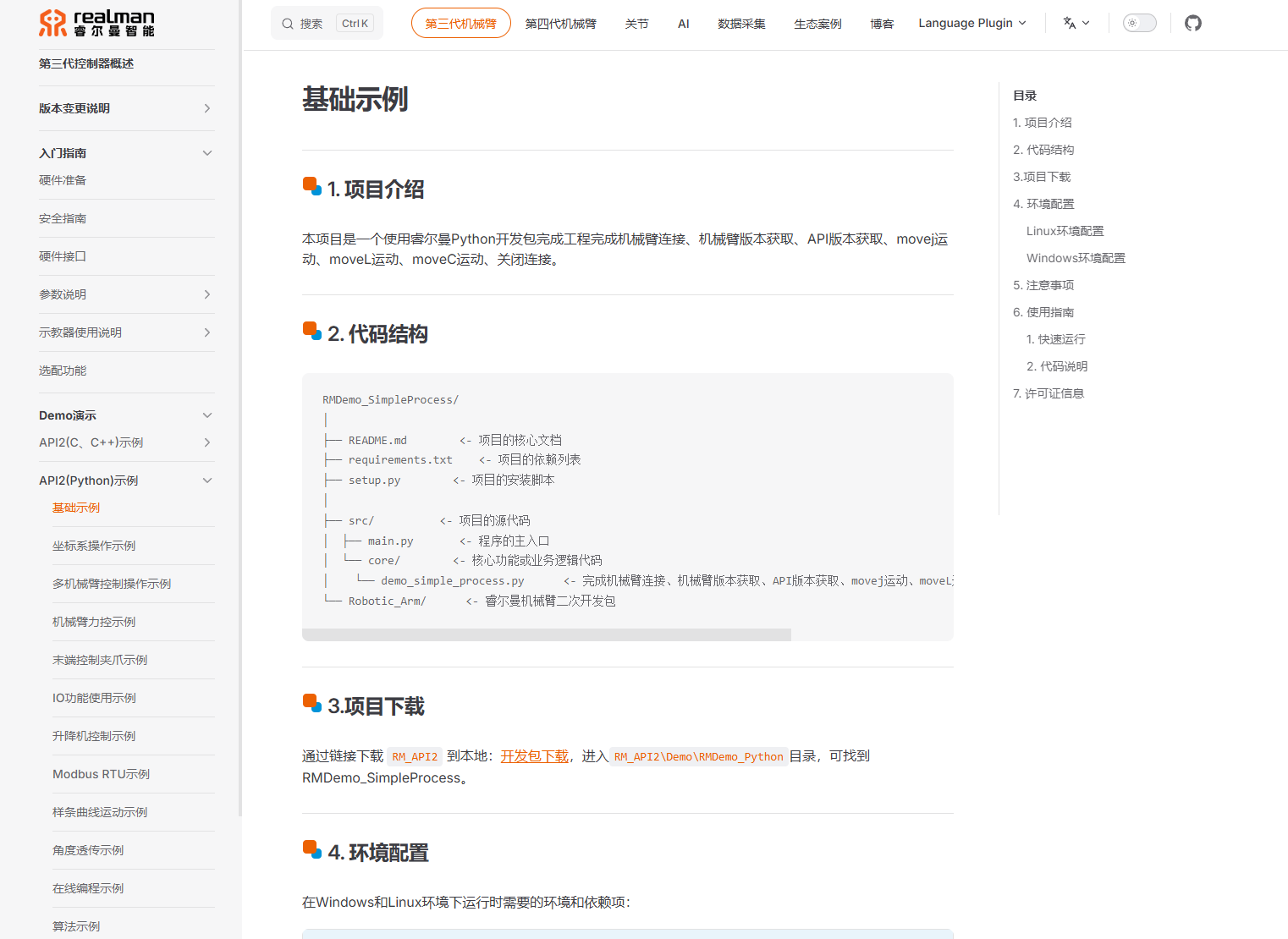
3. 网络通信方式
通过TCP/IP协议与机械臂通信,只需配置IP和端口即可建立连接,无需复杂的硬件接线。
4. 核心运动能力
支持关节空间运动、笛卡尔空间直线/圆弧运动,满足入门阶段的基础运动控制需求。
三、核心例程全解析:逐行吃透机械臂控制逻辑
接下来我们逐模块、逐行解析例程代码,从“代码为什么这么写”“每个参数是什么意思”两个维度,彻底掌握机械臂控制的核心逻辑。
3.1 环境配置与模块导入
import sys
import os

# Add the parent directory of src to sys.path
sys.path.append(os.path.abspath(os.path.join(os.path.dirname(__file__), '..', '..')))

from src.Robotic_Arm.rm_robot_interface import *
import sys/import os:导入Python系统模块和操作系统模块,核心作用是处理文件路径。sys.path.append(...):这是Python工程中常见的“路径补全”操作。睿尔曼SDK的核心接口文件rm_robot_interface.py位于src/Robotic_Arm目录下,而例程脚本可能不在该目录的同级/父级路径中,因此需要通过os.path系列函数计算并添加SDK的根路径到Python的系统路径中,确保后续能成功导入核心接口。os.path.dirname(__file__):获取当前脚本文件的所在目录;os.path.join(..., '..', '..'):向上回溯两级目录(适配SDK的目录结构);os.path.abspath():将拼接后的相对路径转为绝对路径;sys.path.append():将绝对路径添加到Python的模块搜索路径中。
from src.Robotic_Arm.rm_robot_interface import *:导入睿尔曼机械臂的核心接口,包括RoboticArm类、rm_thread_mode_e枚举、各类运动指令函数(rm_movej/rm_movel等),这是实现机械臂控制的核心依赖。
3.2 机械臂型号-点位映射表
# 定义机械臂型号到点位的映射
arm_models_to_points = {
    "RM_65": [
        [0, 20, 70, 0, 90, 0],
        [0.3, 0, 0.3, 3.14, 0, 0],
        [0.2, 0, 0.3, 3.14, 0, 0],
        [0.3, 0, 0.3, 3.14, 0, 0],
        [0.2, 0.05, 0.3, 3.14, 0, 0],
        [0.2, -0.05, 0.3, 3.14, 0, 0] ,
    ],
    # 其他型号省略...
}
这是一个“键值对”字典,核心作用是适配不同型号机械臂的运动点位:
- 键(Key):机械臂型号(如RM_65),与机械臂硬件的型号一一对应;
- 值(Value):该型号对应的6组运动点位列表,每组点位的含义分两类:
- 第一组(如
[0, 20, 70, 0, 90, 0]):关节空间点位,每个数值对应机械臂某一个关节的角度(单位:度),6轴机械臂对应6个数值,7轴(如RM_75)对应7个数值; - 第二至第六组(如
[0.3, 0, 0.3, 3.14, 0, 0]):笛卡尔空间点位,格式为[x, y, z, rx, ry, rz]:x/y/z:机械臂末端执行器的空间坐标(单位:米);rx/ry/rz:机械臂末端的姿态角(单位:弧度,3.14≈π,对应180度)。
- 第一组(如
- 设计逻辑:不同型号机械臂的工作空间、关节范围不同,通过字典映射可让一套代码适配多型号,无需为每个型号单独写运动点位。
3.3 核心控制类RobotArmController解析
该类是例程的核心,封装了机械臂的“连接-控制-断开”全生命周期,我们逐函数解析:
3.3.1 初始化函数__init__:建立机械臂连接
def __init__(self, ip, port, level=3, mode=2):
    """
    Initialize and connect to the robotic arm.

    Args:
        ip (str): IP address of the robot arm.
        port (int): Port number.
        level (int, optional): Connection level. Defaults to 3.
        mode (int, optional): Thread mode (0: single, 1: dual, 2: triple). Defaults to 2.
    """
    self.thread_mode = rm_thread_mode_e(mode)
    self.robot = RoboticArm(self.thread_mode)
    self.handle = self.robot.rm_create_robot_arm(ip, port, level)

    if self.handle.id == -1:
        print("\nFailed to connect to the robot arm\n")
        exit(1)
    else:
        print(f"\nSuccessfully connected to the robot arm: {self.handle.id}\n")
- 参数说明:
ip/port:机械臂的网络IP和端口(睿尔曼默认端口多为8080),需确保电脑与机械臂处于同一局域网;level:连接等级(默认3),睿尔曼将连接权限分为不同等级,等级3为常用的“控制级”,可执行运动指令;mode:线程模式(0=单线程/1=双线程/2=三线程),默认三线程,兼顾运动控制、状态反馈的实时性。
- 核心逻辑:
rm_thread_mode_e(mode):将整数型的线程模式转为SDK定义的枚举类型(确保参数格式符合SDK要求);RoboticArm(self.thread_mode):创建机械臂控制实例;rm_create_robot_arm(ip, port, level):调用SDK接口建立与机械臂的连接,返回一个“句柄(handle)”——句柄是机械臂的唯一标识,后续所有运动指令都通过该句柄关联到具体的机械臂;- 句柄校验:
handle.id == -1表示连接失败,直接退出程序;否则打印连接成功信息。
3.3.2 get_arm_model:获取机械臂型号
def get_arm_model(self):
    """Get robotic arm mode.
    """
    res, model = self.robot.rm_get_robot_info()
    if res == 0:
        return model["arm_model"]
    else:
        print("\nFailed to get robot arm model\n")
rm_get_robot_info():调用SDK接口获取机械臂基础信息,返回两个值:res:执行结果(0=成功,非0=失败,对应错误码);model:字典格式的机械臂信息,包含型号、固件版本等,model["arm_model"]即为机械臂型号(如RM_65);
- 作用:获取型号后,可从
arm_models_to_points字典中匹配对应的运动点位,实现多型号适配。
3.3.3 disconnect:断开机械臂连接
def disconnect(self):
    """
    Disconnect from the robot arm.

    Returns:
        None
    """
    handle = self.robot.rm_delete_robot_arm()
    if handle == 0:
        print("\nSuccessfully disconnected from the robot arm\n")
    else:
        print("\nFailed to disconnect from the robot arm\n")
rm_delete_robot_arm():释放机械臂连接句柄,断开网络连接;- 注意:程序结束前必须调用该函数,否则可能导致机械臂处于“占用状态”,后续无法重新连接。
3.3.4 get_arm_software_info:获取软件信息
def get_arm_software_info(self):
    """
    Get the software information of the robotic arm.

    Args:
        None

    Returns:
        None
    """
    software_info = self.robot.rm_get_arm_software_info()
    if software_info[0] == 0:
        print("\n================== Arm Software Information ==================")
        print("Arm Model: ", software_info[1]['product_version'])
        print("Algorithm Library Version: ", software_info[1]['algorithm_info']['version'])
        print("Control Layer Software Version: ", software_info[1]['ctrl_info']['version'])
        print("Dynamics Version: ", software_info[1]['dynamic_info']['model_version'])
        print("Planning Layer Software Version: ", software_info[1]['plan_info']['version'])
        print("==============================================================\n")
    else:
        print("\nFailed to get arm software information, Error code: ", software_info[0], "\n")
rm_get_arm_software_info():获取机械臂的软件层信息,包括算法库版本、控制层版本、规划层版本等;- 作用:调试阶段可通过该接口确认机械臂固件版本是否与SDK兼容,避免因版本不匹配导致指令执行失败。
3.3.5 movej:关节空间运动(核心运动指令)
def movej(self, joint, v=20, r=0, connect=0, block=1):
    """
    Perform movej motion.

    Args:
        joint (list of float): Joint positions.
        v (float, optional): Speed of the motion. Defaults to 20.
        connect (int, optional): Trajectory connection flag. Defaults to 0.
        block (int, optional): Whether the function is blocking (1 for blocking, 0 for non-blocking). Defaults to 1.
        r (float, optional): Blending radius. Defaults to 0.

    Returns:
        None
    """
    movej_result = self.robot.rm_movej(joint, v, r, connect, block)
    if movej_result == 0:
        print("\nmovej motion succeeded\n")
    else:
        print("\nmovej motion failed, Error code: ", movej_result, "\n")
movej是关节空间运动指令,核心是让机械臂的每个关节从当前角度运动到目标角度,运动轨迹由SDK自动规划(无需关心末端路径)。
- 参数详解:
joint:目标关节角度列表(如[0, 20, 70, 0, 90, 0]),6轴填6个值,7轴填7个值,单位:度;v:运动速度(默认20),单位:度/秒,范围需符合机械臂硬件限制;r:混合半径(默认0),用于多段轨迹的平滑过渡,0表示无过渡;connect:轨迹连接标志(默认0),0=新轨迹,1=接续上一段轨迹;block:阻塞标志(默认1):- 1(阻塞):程序等待机械臂完成该运动后,再执行下一行代码;
- 0(非阻塞):发送指令后程序立即执行下一行,机械臂后台执行运动。
rm_movej():SDK核心接口,返回0表示指令执行成功,非0为错误码(可查睿尔曼SDK手册定位问题)。
3.3.6 movel:笛卡尔空间直线运动
def movel(self, pose, v=20, r=0, connect=0, block=1):
    """
    Perform movel motion.

    Args:
        pose (list of float): End position [x, y, z, rx, ry, rz].
        v (float, optional): Speed of the motion. Defaults to 20.
        connect (int, optional): Trajectory connection flag. Defaults to 0.
        block (int, optional): Whether the function is blocking (1 for blocking, 0 for non-blocking). Defaults to 1.
        r (float, optional): Blending radius. Defaults to 0.

    Returns:
        None
    """
    movel_result = self.robot.rm_movel(pose, v, r, connect, block)
    if movel_result == 0:
        print("\nmovel motion succeeded\n")
    else:
        print("\nmovel motion failed, Error code: ", movel_result, "\n")
movel是笛卡尔空间直线运动指令,核心是让机械臂末端从当前位置以“直线”运动到目标位置,适用于需要精准路径的场景(如抓取、放置)。
- 核心区别于
movej:movej控制关节角度,movel控制末端的空间位置和姿态; - 参数
pose:目标位姿[x, y, z, rx, ry, rz],单位:x/y/z(米)、rx/ry/rz(弧度); - 其他参数与
movej一致,v的单位为:米/秒(区别于movej的度/秒)。
3.3.7 movec:笛卡尔空间圆弧运动
def movec(self, pose_via, pose_to, v=20, r=0, loop=0, connect=0, block=1):
    """
    Perform movec motion.

    Args:
        pose_via (list of float): Via position [x, y, z, rx, ry, rz].
        pose_to (list of float): End position for the circular path [x, y, z, rx, ry, rz].
        v (float, optional): Speed of the motion. Defaults to 20.
        loop (int, optional): Number of loops. Defaults to 0.
        connect (int, optional): Trajectory connection flag. Defaults to 0.
        block (int, optional): Whether the function is blocking (1 for blocking, 0 for non-blocking). Defaults to 1.
        r (float, optional): Blending radius. Defaults to 0.

    Returns:
        None
    """
    movec_result = self.robot.rm_movec(pose_via, pose_to, v, r, loop, connect, block)
    if movec_result == 0:
        print("\nmovec motion succeeded\n")
    else:
        print("\nmovec motion failed, Error code: ", movec_result, "\n")
movec是圆弧运动指令,需要指定“途经点”和“目标点”,机械臂末端从当前位置→途经点→目标点,沿圆弧轨迹运动。
- 核心参数:
pose_via:圆弧途经点(必选),决定圆弧的曲率;pose_to:圆弧终点;loop:循环次数(默认0),0=执行1次,n=循环n次;
- 应用场景:避障运动、圆弧轨迹作业(如焊接、打磨)。
3.3.8 movej_p:关节空间位姿运动
def movej_p(self, pose, v=20, r=0, connect=0, block=1):
    """
    Perform movej_p motion.

    Args:
        pose (list of float): Position [x, y, z, rx, ry, rz].
        v (float, optional): Speed of the motion. Defaults to 20.
        connect (int, optional): Trajectory connection flag. Defaults to 0.
        block (int, optional): Whether the function is blocking (1 for blocking, 0 for non-blocking). Defaults to 1.
        r (float, optional): Blending radius. Defaults to 0.

    Returns:
        None
    """
    movej_p_result = self.robot.rm_movej_p(pose, v, r, connect, block)
    if movej_p_result == 0:
        print("\nmovej_p motion succeeded\n")
    else:
        print("\nmovej_p motion failed, Error code: ", movej_p_result, "\n")
movej_p是movej的“位姿版”:输入笛卡尔空间位姿(x/y/z/rx/ry/rz),SDK自动计算对应的关节角度,然后以关节运动的方式到达目标位姿。
- 区别于
movel:movej_p的轨迹是关节空间的最优轨迹(非直线),运动速度更快;movel是末端直线轨迹,精度更高但速度稍慢。
3.4 主函数main:完整控制流程
def main():
    # Create a robot arm controller instance and connect to the robot arm
    robot_controller = RobotArmController("192.168.1.18", 8080, 3)

    # Get API version
    print("\nAPI Version: ", rm_api_version(), "\n")

    # Get basic arm information
    robot_controller.get_arm_software_info()

    arm_model = robot_controller.get_arm_model()
    points = arm_models_to_points.get(arm_model, [])

    # Define joint positions for 6 DOF
    joint_6dof = points[0]

    # Perform movej motion for 6 DOF robot arm
    robot_controller.movej(joint_6dof)

    # Perform movej_p motion
    robot_controller.movej_p(points[1])

    # Perform movel motion
    robot_controller.movel(points[2])

    # Perform movej_p motion again
    robot_controller.movej_p(points[3])

    # Perform movec motion
    robot_controller.movec(points[4], points[5], loop=2)

    # Disconnect the robot arm
    robot_controller.disconnect()

if __name__ == "__main__":
    main()
主函数是机械臂控制的“执行流程”,完整逻辑如下:
- 建立连接:创建
RobotArmController实例,传入机械臂IP(192.168.1.18)、端口(8080)、连接等级(3),建立网络连接; - 获取基础信息:
rm_api_version():打印SDK的API版本,确认版本兼容性;get_arm_software_info():打印机械臂软件层信息;get_arm_model():获取机械臂型号,匹配对应的运动点位;
- 执行运动指令:按“关节运动→位姿关节运动→直线运动→位姿关节运动→圆弧运动”的顺序执行,完成一套基础运动流程;
- 断开连接:运动完成后释放连接,避免资源占用。
四、应用实践:从代码到机械臂运动
掌握代码逻辑后,我们通过实操让机械臂动起来,核心步骤如下:
4.1 环境搭建
- 硬件准备:睿尔曼第三代机械臂(如RM_65)、电脑(Windows/Linux)、网线/无线网卡(确保与机械臂同网段);
- 软件准备:
- 安装Python 3.7+(睿尔曼SDK推荐版本);
- 下载睿尔曼第三代机械臂SDK,解压到本地;
- 将例程脚本放在SDK指定目录(确保
sys.path路径正确);
- 网络配置:
- 机械臂默认IP:192.168.1.18(可通过机械臂示教器修改);
- 电脑IP设置为192.168.1.x(x≠18,子网掩码255.255.255.0);
- 测试连通性:ping 192.168.1.18,确保能ping通。
4.2 运行步骤
- 启动机械臂:接通电源,待机械臂完成自检(进入“就绪”状态);
- 修改代码:将
RobotArmController("192.168.1.18", 8080, 3)中的IP改为实际机械臂IP; - 运行脚本:在终端执行
python 例程文件名.py; - 观察机械臂:机械臂会按代码顺序执行关节运动→直线运动→圆弧运动,终端会打印每一步的执行结果。
4.3 常见问题与排查
- 连接失败(handle.id=-1):
- 排查:电脑与机械臂是否同网段、IP/端口是否正确、机械臂是否已开机并就绪、防火墙是否拦截端口;
- 运动指令执行失败(错误码非0):
- 排查:运动点位是否超出机械臂工作空间、关节角度/位姿是否符合硬件限制、SDK版本与机械臂固件版本是否兼容;
- 机械臂无运动但指令返回成功:
- 排查:
block参数是否设为0(非阻塞)、运动速度是否设为0、机械臂是否处于“急停”状态。
- 排查:
五、总结与拓展
5.1 核心总结
本文通过睿尔曼第三代机械臂的官方例程,完成了从“代码解析”到“实操落地”的入门学习,核心知识点如下:
- 睿尔曼机械臂的核心控制逻辑:通过Python SDK建立网络连接→调用运动指令→断开连接;
- 三类核心运动指令:
movej:关节运动,速度快,适合快速复位;movel:直线运动,路径精准,适合作业场景;movec:圆弧运动,适合轨迹化作业;
- 多型号适配:通过“型号-点位”字典,实现一套代码适配不同型号机械臂。
5.2 拓展方向
掌握基础控制后,可进一步探索:
- 点位标定:通过示教器记录实际作业点位,替换例程中的默认点位,实现个性化作业;
- IO控制:调用SDK接口控制机械臂末端夹爪(开合)、气泵(启停);
- 视觉引导:结合OpenCV识别目标位置,动态生成运动点位,实现“视觉抓取”;
- 轨迹规划:自定义多段轨迹,实现复杂的连续运动。
睿尔曼第三代机械臂的Python SDK降低了机械臂控制的入门门槛,只要理解核心指令的逻辑,就能快速实现基础运动控制。希望本文能帮助大家迈出机械臂学习的第一步,后续可结合睿尔曼官方手册,深入探索更多高级功能!
具身智能:零基礎入門睿爾曼機械臂(二)——從API例程到Python實操全解析
隨著智能製造的普及,機械臂控制已成為機器人領域入門的核心技能。相比於傳統工業機械臂複雜的調試流程和封閉的開發環境,睿爾曼第三代機械臂提供了簡潔的Python SDK(軟件開發工具包),無需深厚的底層控制知識,即可快速實現機械臂的運動控制。本文的核心目標是:以睿爾曼官方例程為藍本,拆解機械臂控制的核心邏輯,讓零基礎讀者理解“如何通過代碼指揮機械臂運動”,並能動手完成基礎的運動控制實操。無論你是高校學生、創客,還是剛接觸機械臂的工程師,都能通過本文掌握睿爾曼第三代機械臂的基礎控制方法。
來源:https://blog.csdn.net/2403_87969572/article/details/155683243
抓取時間(ISO本地):2026-05-18 05:17:17
一、前言
隨著智能製造的普及,機械臂控制已成為機器人領域入門的核心技能。相比於傳統工業機械臂複雜的調試流程和封閉的開發環境,睿爾曼第三代機械臂提供了簡潔的Python SDK(軟件開發工具包),無需深厚的底層控制知識,即可快速實現機械臂的運動控制。
本文的核心目標是:以睿爾曼官方例程為藍本,拆解機械臂控制的核心邏輯,讓零基礎讀者理解“如何通過代碼指揮機械臂運動”,並能動手完成基礎的運動控制實操。無論你是高校學生、創客,還是剛接觸機械臂的工程師,都能通過本文掌握睿爾曼第三代機械臂的基礎控制方法。
二、睿爾曼第三代機械臂:入門友好的輕量化選擇
睿爾曼第三代機械臂是面向科研、教育、輕量工業、創客場景的系列化產品,核心特點如下:
1. 多型號適配
例程中涉及的RM_65、RM_75、RML_63、ECO_65/63、GEN_72等型號,覆蓋6軸/7軸構型,工作半徑、負載能力適配不同場景,核心控制邏輯統一,學習一套代碼可適配多型號。
2. 易用的Python API
提供封裝完善的Python接口,無需關注運動學逆解、軌跡規劃等底層算法,直接調用movej(關節運動)、movel(直線運動)等接口即可實現運動控制。
3. 網絡通信方式
通過TCP/IP協議與機械臂通信,只需配置IP和端口即可建立連接,無需複雜的硬件接線。
4. 核心運動能力
支持關節空間運動、笛卡爾空間直線/圓弧運動,滿足入門階段的基礎運動控制需求。
三、核心例程全解析:逐行吃透機械臂控制邏輯
接下來我們逐模塊、逐行解析例程代碼,從“代碼為什麼這麼寫”“每個參數是什麼意思”兩個維度,徹底掌握機械臂控制的核心邏輯。
3.1 環境配置與模塊導入
import sys
import os

# Add the parent directory of src to sys.path
sys.path.append(os.path.abspath(os.path.join(os.path.dirname(__file__), '..', '..')))

from src.Robotic_Arm.rm_robot_interface import *
import sys/import os:導入Python系統模塊和操作系統模塊,核心作用是處理文件路徑。sys.path.append(...):這是Python工程中常見的“路徑補全”操作。睿爾曼SDK的核心接口文件rm_robot_interface.py位於src/Robotic_Arm目錄下,而例程腳本可能不在該目錄的同級/父級路徑中,因此需要通過os.path系列函數計算並添加SDK的根路徑到Python的系統路徑中,確保後續能成功導入核心接口。os.path.dirname(__file__):獲取當前腳本文件的所在目錄;os.path.join(..., '..', '..'):向上回溯兩級目錄(適配SDK的目錄結構);os.path.abspath():將拼接後的相對路徑轉為絕對路徑;sys.path.append():將絕對路徑添加到Python的模塊搜索路徑中。
from src.Robotic_Arm.rm_robot_interface import *:導入睿爾曼機械臂的核心接口,包括RoboticArm類、rm_thread_mode_e枚舉、各類運動指令函數(rm_movej/rm_movel等),這是實現機械臂控制的核心依賴。
3.2 機械臂型號-點位映射表
# 定義機械臂型號到點位的映射
arm_models_to_points = {
    "RM_65": [
        [0, 20, 70, 0, 90, 0],
        [0.3, 0, 0.3, 3.14, 0, 0],
        [0.2, 0, 0.3, 3.14, 0, 0],
        [0.3, 0, 0.3, 3.14, 0, 0],
        [0.2, 0.05, 0.3, 3.14, 0, 0],
        [0.2, -0.05, 0.3, 3.14, 0, 0] ,
    ],
    # 其他型號省略...
}
這是一個“鍵值對”字典,核心作用是適配不同型號機械臂的運動點位:
- 鍵(Key):機械臂型號(如RM_65),與機械臂硬件的型號一一對應;
- 值(Value):該型號對應的6組運動點位列表,每組點位的含義分兩類:
- 第一組(如
[0, 20, 70, 0, 90, 0]):關節空間點位,每個數值對應機械臂某一個關節的角度(單位:度),6軸機械臂對應6個數值,7軸(如RM_75)對應7個數值; - 第二至第六組(如
[0.3, 0, 0.3, 3.14, 0, 0]):笛卡爾空間點位,格式為[x, y, z, rx, ry, rz]:x/y/z:機械臂末端執行器的空間座標(單位:米);rx/ry/rz:機械臂末端的姿態角(單位:弧度,3.14≈π,對應180度)。
- 第一組(如
- 設計邏輯:不同型號機械臂的工作空間、關節範圍不同,通過字典映射可讓一套代碼適配多型號,無需為每個型號單獨寫運動點位。
3.3 核心控制類RobotArmController解析
該類是例程的核心,封裝了機械臂的“連接-控制-斷開”全生命週期,我們逐函數解析:
3.3.1 初始化函數__init__:建立機械臂連接
def __init__(self, ip, port, level=3, mode=2):
    """
    Initialize and connect to the robotic arm.

    Args:
        ip (str): IP address of the robot arm.
        port (int): Port number.
        level (int, optional): Connection level. Defaults to 3.
        mode (int, optional): Thread mode (0: single, 1: dual, 2: triple). Defaults to 2.
    """
    self.thread_mode = rm_thread_mode_e(mode)
    self.robot = RoboticArm(self.thread_mode)
    self.handle = self.robot.rm_create_robot_arm(ip, port, level)

    if self.handle.id == -1:
        print("\nFailed to connect to the robot arm\n")
        exit(1)
    else:
        print(f"\nSuccessfully connected to the robot arm: {self.handle.id}\n")
- 參數說明:
ip/port:機械臂的網絡IP和端口(睿爾曼默認端口多為8080),需確保電腦與機械臂處於同一局域網;level:連接等級(默認3),睿爾曼將連接權限分為不同等級,等級3為常用的“控制級”,可執行運動指令;mode:線程模式(0=單線程/1=雙線程/2=三線程),默認三線程,兼顧運動控制、狀態反饋的實時性。
- 核心邏輯:
rm_thread_mode_e(mode):將整數型的線程模式轉為SDK定義的枚舉類型(確保參數格式符合SDK要求);RoboticArm(self.thread_mode):創建機械臂控制實例;rm_create_robot_arm(ip, port, level):調用SDK接口建立與機械臂的連接,返回一個“句柄(handle)”——句柄是機械臂的唯一標識,後續所有運動指令都通過該句柄關聯到具體的機械臂;- 句柄校驗:
handle.id == -1表示連接失敗,直接退出程序;否則打印連接成功信息。
3.3.2 get_arm_model:獲取機械臂型號
def get_arm_model(self):
    """Get robotic arm mode.
    """
    res, model = self.robot.rm_get_robot_info()
    if res == 0:
        return model["arm_model"]
    else:
        print("\nFailed to get robot arm model\n")
rm_get_robot_info():調用SDK接口獲取機械臂基礎信息,返回兩個值:res:執行結果(0=成功,非0=失敗,對應錯誤碼);model:字典格式的機械臂信息,包含型號、固件版本等,model["arm_model"]即為機械臂型號(如RM_65);
- 作用:獲取型號後,可從
arm_models_to_points字典中匹配對應的運動點位,實現多型號適配。
3.3.3 disconnect:斷開機械臂連接
def disconnect(self):
    """
    Disconnect from the robot arm.

    Returns:
        None
    """
    handle = self.robot.rm_delete_robot_arm()
    if handle == 0:
        print("\nSuccessfully disconnected from the robot arm\n")
    else:
        print("\nFailed to disconnect from the robot arm\n")
rm_delete_robot_arm():釋放機械臂連接句柄,斷開網絡連接;- 注意:程序結束前必須調用該函數,否則可能導致機械臂處於“佔用狀態”,後續無法重新連接。
3.3.4 get_arm_software_info:獲取軟件信息
def get_arm_software_info(self):
    """
    Get the software information of the robotic arm.

    Args:
        None

    Returns:
        None
    """
    software_info = self.robot.rm_get_arm_software_info()
    if software_info[0] == 0:
        print("\n================== Arm Software Information ==================")
        print("Arm Model: ", software_info[1]['product_version'])
        print("Algorithm Library Version: ", software_info[1]['algorithm_info']['version'])
        print("Control Layer Software Version: ", software_info[1]['ctrl_info']['version'])
        print("Dynamics Version: ", software_info[1]['dynamic_info']['model_version'])
        print("Planning Layer Software Version: ", software_info[1]['plan_info']['version'])
        print("==============================================================\n")
    else:
        print("\nFailed to get arm software information, Error code: ", software_info[0], "\n")
rm_get_arm_software_info():獲取機械臂的軟件層信息,包括算法庫版本、控制層版本、規劃層版本等;- 作用:調試階段可通過該接口確認機械臂固件版本是否與SDK兼容,避免因版本不匹配導致指令執行失敗。
3.3.5 movej:關節空間運動(核心運動指令)
def movej(self, joint, v=20, r=0, connect=0, block=1):
    """
    Perform movej motion.

    Args:
        joint (list of float): Joint positions.
        v (float, optional): Speed of the motion. Defaults to 20.
        connect (int, optional): Trajectory connection flag. Defaults to 0.
        block (int, optional): Whether the function is blocking (1 for blocking, 0 for non-blocking). Defaults to 1.
        r (float, optional): Blending radius. Defaults to 0.

    Returns:
        None
    """
    movej_result = self.robot.rm_movej(joint, v, r, connect, block)
    if movej_result == 0:
        print("\nmovej motion succeeded\n")
    else:
        print("\nmovej motion failed, Error code: ", movej_result, "\n")
movej是關節空間運動指令,核心是讓機械臂的每個關節從當前角度運動到目標角度,運動軌跡由SDK自動規劃(無需關心末端路徑)。
- 參數詳解:
joint:目標關節角度列表(如[0, 20, 70, 0, 90, 0]),6軸填6個值,7軸填7個值,單位:度;v:運動速度(默認20),單位:度/秒,範圍需符合機械臂硬件限制;r:混合半徑(默認0),用於多段軌跡的平滑過渡,0表示無過渡;connect:軌跡連接標誌(默認0),0=新軌跡,1=接續上一段軌跡;block:阻塞標誌(默認1):- 1(阻塞):程序等待機械臂完成該運動後,再執行下一行代碼;
- 0(非阻塞):發送指令後程序立即執行下一行,機械臂後臺執行運動。
rm_movej():SDK核心接口,返回0表示指令執行成功,非0為錯誤碼(可查睿爾曼SDK手冊定位問題)。
3.3.6 movel:笛卡爾空間直線運動
def movel(self, pose, v=20, r=0, connect=0, block=1):
    """
    Perform movel motion.

    Args:
        pose (list of float): End position [x, y, z, rx, ry, rz].
        v (float, optional): Speed of the motion. Defaults to 20.
        connect (int, optional): Trajectory connection flag. Defaults to 0.
        block (int, optional): Whether the function is blocking (1 for blocking, 0 for non-blocking). Defaults to 1.
        r (float, optional): Blending radius. Defaults to 0.

    Returns:
        None
    """
    movel_result = self.robot.rm_movel(pose, v, r, connect, block)
    if movel_result == 0:
        print("\nmovel motion succeeded\n")
    else:
        print("\nmovel motion failed, Error code: ", movel_result, "\n")
movel是笛卡爾空間直線運動指令,核心是讓機械臂末端從當前位置以“直線”運動到目標位置,適用於需要精準路徑的場景(如抓取、放置)。
- 核心區別於
movej:movej控制關節角度,movel控制末端的空間位置和姿態; - 參數
pose:目標位姿[x, y, z, rx, ry, rz],單位:x/y/z(米)、rx/ry/rz(弧度); - 其他參數與
movej一致,v的單位為:米/秒(區別於movej的度/秒)。
3.3.7 movec:笛卡爾空間圓弧運動
def movec(self, pose_via, pose_to, v=20, r=0, loop=0, connect=0, block=1):
    """
    Perform movec motion.

    Args:
        pose_via (list of float): Via position [x, y, z, rx, ry, rz].
        pose_to (list of float): End position for the circular path [x, y, z, rx, ry, rz].
        v (float, optional): Speed of the motion. Defaults to 20.
        loop (int, optional): Number of loops. Defaults to 0.
        connect (int, optional): Trajectory connection flag. Defaults to 0.
        block (int, optional): Whether the function is blocking (1 for blocking, 0 for non-blocking). Defaults to 1.
        r (float, optional): Blending radius. Defaults to 0.

    Returns:
        None
    """
    movec_result = self.robot.rm_movec(pose_via, pose_to, v, r, loop, connect, block)
    if movec_result == 0:
        print("\nmovec motion succeeded\n")
    else:
        print("\nmovec motion failed, Error code: ", movec_result, "\n")
movec是圓弧運動指令,需要指定“途經點”和“目標點”,機械臂末端從當前位置→途經點→目標點,沿圓弧軌跡運動。
- 核心參數:
pose_via:圓弧途經點(必選),決定圓弧的曲率;pose_to:圓弧終點;loop:循環次數(默認0),0=執行1次,n=循環n次;
- 應用場景:避障運動、圓弧軌跡作業(如焊接、打磨)。
3.3.8 movej_p:關節空間位姿運動
def movej_p(self, pose, v=20, r=0, connect=0, block=1):
    """
    Perform movej_p motion.

    Args:
        pose (list of float): Position [x, y, z, rx, ry, rz].
        v (float, optional): Speed of the motion. Defaults to 20.
        connect (int, optional): Trajectory connection flag. Defaults to 0.
        block (int, optional): Whether the function is blocking (1 for blocking, 0 for non-blocking). Defaults to 1.
        r (float, optional): Blending radius. Defaults to 0.

    Returns:
        None
    """
    movej_p_result = self.robot.rm_movej_p(pose, v, r, connect, block)
    if movej_p_result == 0:
        print("\nmovej_p motion succeeded\n")
    else:
        print("\nmovej_p motion failed, Error code: ", movej_p_result, "\n")
movej_p是movej的“位姿版”:輸入笛卡爾空間位姿(x/y/z/rx/ry/rz),SDK自動計算對應的關節角度,然後以關節運動的方式到達目標位姿。
- 區別於
movel:movej_p的軌跡是關節空間的最優軌跡(非直線),運動速度更快;movel是末端直線軌跡,精度更高但速度稍慢。
3.4 主函數main:完整控制流程
def main():
    # Create a robot arm controller instance and connect to the robot arm
    robot_controller = RobotArmController("192.168.1.18", 8080, 3)

    # Get API version
    print("\nAPI Version: ", rm_api_version(), "\n")

    # Get basic arm information
    robot_controller.get_arm_software_info()

    arm_model = robot_controller.get_arm_model()
    points = arm_models_to_points.get(arm_model, [])

    # Define joint positions for 6 DOF
    joint_6dof = points[0]

    # Perform movej motion for 6 DOF robot arm
    robot_controller.movej(joint_6dof)

    # Perform movej_p motion
    robot_controller.movej_p(points[1])

    # Perform movel motion
    robot_controller.movel(points[2])

    # Perform movej_p motion again
    robot_controller.movej_p(points[3])

    # Perform movec motion
    robot_controller.movec(points[4], points[5], loop=2)

    # Disconnect the robot arm
    robot_controller.disconnect()

if __name__ == "__main__":
    main()
主函數是機械臂控制的“執行流程”,完整邏輯如下:
- 建立連接:創建
RobotArmController實例,傳入機械臂IP(192.168.1.18)、端口(8080)、連接等級(3),建立網絡連接; - 獲取基礎信息:
rm_api_version():打印SDK的API版本,確認版本兼容性;get_arm_software_info():打印機械臂軟件層信息;get_arm_model():獲取機械臂型號,匹配對應的運動點位;
- 執行運動指令:按“關節運動→位姿關節運動→直線運動→位姿關節運動→圓弧運動”的順序執行,完成一套基礎運動流程;
- 斷開連接:運動完成後釋放連接,避免資源佔用。
四、應用實踐:從代碼到機械臂運動
掌握代碼邏輯後,我們通過實操讓機械臂動起來,核心步驟如下:
4.1 環境搭建
- 硬件準備:睿爾曼第三代機械臂(如RM_65)、電腦(Windows/Linux)、網線/無線網卡(確保與機械臂同網段);
- 軟件準備:
- 安裝Python 3.7+(睿爾曼SDK推薦版本);
- 下載睿爾曼第三代機械臂SDK,解壓到本地;
- 將例程腳本放在SDK指定目錄(確保
sys.path路徑正確);
- 網絡配置:
- 機械臂默認IP:192.168.1.18(可通過機械臂示教器修改);
- 電腦IP設置為192.168.1.x(x≠18,子網掩碼255.255.255.0);
- 測試連通性:ping 192.168.1.18,確保能ping通。
4.2 運行步驟
- 啟動機械臂:接通電源,待機械臂完成自檢(進入“就緒”狀態);
- 修改代碼:將
RobotArmController("192.168.1.18", 8080, 3)中的IP改為實際機械臂IP; - 運行腳本:在終端執行
python 例程文件名.py; - 觀察機械臂:機械臂會按代碼順序執行關節運動→直線運動→圓弧運動,終端會打印每一步的執行結果。
4.3 常見問題與排查
- 連接失敗(handle.id=-1):
- 排查:電腦與機械臂是否同網段、IP/端口是否正確、機械臂是否已開機並就緒、防火牆是否攔截端口;
- 運動指令執行失敗(錯誤碼非0):
- 排查:運動點位是否超出機械臂工作空間、關節角度/位姿是否符合硬件限制、SDK版本與機械臂固件版本是否兼容;
- 機械臂無運動但指令返回成功:
- 排查:
block參數是否設為0(非阻塞)、運動速度是否設為0、機械臂是否處於“急停”狀態。
- 排查:
五、總結與拓展
5.1 核心總結
本文通過睿爾曼第三代機械臂的官方例程,完成了從“代碼解析”到“實操落地”的入門學習,核心知識點如下:
- 睿爾曼機械臂的核心控制邏輯:通過Python SDK建立網絡連接→調用運動指令→斷開連接;
- 三類核心運動指令:
movej:關節運動,速度快,適合快速復位;movel:直線運動,路徑精準,適合作業場景;movec:圓弧運動,適合軌跡化作業;
- 多型號適配:通過“型號-點位”字典,實現一套代碼適配不同型號機械臂。
5.2 拓展方向
掌握基礎控制後,可進一步探索:
- 點位標定:通過示教器記錄實際作業點位,替換例程中的默認點位,實現個性化作業;
- IO控制:調用SDK接口控制機械臂末端夾爪(開合)、氣泵(啟停);
- 視覺引導:結合OpenCV識別目標位置,動態生成運動點位,實現“視覺抓取”;
- 軌跡規劃:自定義多段軌跡,實現複雜的連續運動。
睿爾曼第三代機械臂的Python SDK降低了機械臂控制的入門門檻,只要理解核心指令的邏輯,就能快速實現基礎運動控制。希望本文能幫助大家邁出機械臂學習的第一步,後續可結合睿爾曼官方手冊,深入探索更多高級功能!
Embodied intelligence: Realman arm zero-to-one (2)—from API demo to Python practice
As smart manufacturing spreads, arm control is core robotics literacy. Unlike legacy industrial arms with heavy commissioning and closed stacks, Realman’s third-generation arms ship a straightforward Python SDK—you can command motion without deep low-level control theory. This post uses the official demo to unpack how code drives the arm, so beginners can run basic motion themselves. Students, makers, and new engineers can all learn third-gen Realman control here.
Captured at (ISO local): 2026-05-18 05:17:17
I. Foreword
As smart manufacturing spreads, arm control is core robotics literacy. Unlike legacy industrial arms with heavy commissioning and closed stacks, Realman’s third-generation arms ship a straightforward Python SDK—you can command motion without deep low-level control theory.
This post uses the official demo to unpack how code drives the arm, so beginners can run basic motion themselves. Students, makers, and new engineers can all learn third-gen Realman control here.
II. Third-gen Realman: a friendly entry point
Third-gen Realman targets research, education, light industry, and makers:
1. Multiple models
The demo covers RM_65, RM_75, RML_63, ECO_65/63, GEN_72, etc.—6- and 7-axis variants with different reach and payload, one control model across the line.
2. Easy Python API
High-level calls—movej (joint), movel (linear)—hide inverse kinematics and trajectory planning.
3. Network communication
TCP/IP to the arm: set IP and port—no exotic wiring.
4. Core motion modes
Joint-space moves plus Cartesian line and arc—enough for first projects.
III. Demo walkthrough: line by line
We go module by module—why the code is written this way and what each parameter means.
3.1 Environment and imports
import sys
import os

# Add the parent directory of src to sys.path
sys.path.append(os.path.abspath(os.path.join(os.path.dirname(__file__), '..', '..')))

from src.Robotic_Arm.rm_robot_interface import *
import sys/import os: path handling for the SDK layout.sys.path.append(...): adds the SDK root sorm_robot_interface.pyundersrc/Robotic_Armimports cleanly when the script lives elsewhere.os.path.dirname(__file__): script directory;os.path.join(..., '..', '..'): two levels up;os.path.abspath(): absolute path;sys.path.append(): register onsys.path.
from src.Robotic_Arm.rm_robot_interface import *:RoboticArm,rm_thread_mode_e,rm_movej,rm_movel, etc.
3.2 Model-to-waypoint map
# 定义机械臂型号到点位的映射
arm_models_to_points = {
    "RM_65": [
        [0, 20, 70, 0, 90, 0],
        [0.3, 0, 0.3, 3.14, 0, 0],
        [0.2, 0, 0.3, 3.14, 0, 0],
        [0.3, 0, 0.3, 3.14, 0, 0],
        [0.2, 0.05, 0.3, 3.14, 0, 0],
        [0.2, -0.05, 0.3, 3.14, 0, 0] ,
    ],
    # 其他型号省略...
}
A dictionary mapping model → waypoints:
- Key: arm model (e.g. RM_65);
- Value: six waypoint groups:
- First (e.g.
[0, 20, 70, 0, 90, 0]): joint targets in degrees—six values for 6-DOF, seven for 7-DOF (e.g. RM_75); - Others (e.g.
[0.3, 0, 0.3, 3.14, 0, 0]): Cartesian[x, y, z, rx, ry, rz]—position in meters, orientation in radians (3.14 ≈ π).
- First (e.g.
- One script, many models—no duplicate waypoint tables per SKU.
3.3 RobotArmController in detail
The class wraps connect → command → disconnect.
3.3.1 __init__: connect
def __init__(self, ip, port, level=3, mode=2):
    """
    Initialize and connect to the robotic arm.

    Args:
        ip (str): IP address of the robot arm.
        port (int): Port number.
        level (int, optional): Connection level. Defaults to 3.
        mode (int, optional): Thread mode (0: single, 1: dual, 2: triple). Defaults to 2.
    """
    self.thread_mode = rm_thread_mode_e(mode)
    self.robot = RoboticArm(self.thread_mode)
    self.handle = self.robot.rm_create_robot_arm(ip, port, level)

    if self.handle.id == -1:
        print("\nFailed to connect to the robot arm\n")
        exit(1)
    else:
        print(f"\nSuccessfully connected to the robot arm: {self.handle.id}\n")
ip/port: same LAN as the arm (default port often 8080);level: connection tier (default 3 = control level for motion commands);mode: thread mode (0 single / 1 dual / 2 triple)—default triple for responsiveness.- Flow: enum →
RoboticArm→rm_create_robot_arm→ handle;handle.id == -1means failure.
3.3.2 get_arm_model
def get_arm_model(self):
    """Get robotic arm mode.
    """
    res, model = self.robot.rm_get_robot_info()
    if res == 0:
        return model["arm_model"]
    else:
        print("\nFailed to get robot arm model\n")
rm_get_robot_info():res == 0success;model["arm_model"]e.g. RM_65—used to pick waypoints from the dict.
3.3.3 disconnect
def disconnect(self):
    """
    Disconnect from the robot arm.

    Returns:
        None
    """
    handle = self.robot.rm_delete_robot_arm()
    if handle == 0:
        print("\nSuccessfully disconnected from the robot arm\n")
    else:
        print("\nFailed to disconnect from the robot arm\n")
- Always call before exit—or the arm may stay “busy” and refuse reconnects.
3.3.4 get_arm_software_info
def get_arm_software_info(self):
    """
    Get the software information of the robotic arm.

    Args:
        None

    Returns:
        None
    """
    software_info = self.robot.rm_get_arm_software_info()
    if software_info[0] == 0:
        print("\n================== Arm Software Information ==================")
        print("Arm Model: ", software_info[1]['product_version'])
        print("Algorithm Library Version: ", software_info[1]['algorithm_info']['version'])
        print("Control Layer Software Version: ", software_info[1]['ctrl_info']['version'])
        print("Dynamics Version: ", software_info[1]['dynamic_info']['model_version'])
        print("Planning Layer Software Version: ", software_info[1]['plan_info']['version'])
        print("==============================================================\n")
    else:
        print("\nFailed to get arm software information, Error code: ", software_info[0], "\n")
- Firmware/algorithm/planning versions—check SDK vs controller compatibility when debugging.
3.3.5 movej: joint motion
def movej(self, joint, v=20, r=0, connect=0, block=1):
    """
    Perform movej motion.

    Args:
        joint (list of float): Joint positions.
        v (float, optional): Speed of the motion. Defaults to 20.
        connect (int, optional): Trajectory connection flag. Defaults to 0.
        block (int, optional): Whether the function is blocking (1 for blocking, 0 for non-blocking). Defaults to 1.
        r (float, optional): Blending radius. Defaults to 0.

    Returns:
        None
    """
    movej_result = self.robot.rm_movej(joint, v, r, connect, block)
    if movej_result == 0:
        print("\nmovej motion succeeded\n")
    else:
        print("\nmovej motion failed, Error code: ", movej_result, "\n")
Joint-space move—each joint goes to target angles; path planned by the SDK.
joint: target angles (degrees), 6 or 7 values;v: speed (default 20) in deg/s;r: blend radius (0 = none);connect: 0 new segment, 1 blend with previous;block: 1 wait until done, 0 fire-and-forget;- Return 0 = OK; else see SDK error table.
3.3.6 movel: Cartesian line
def movel(self, pose, v=20, r=0, connect=0, block=1):
    """
    Perform movel motion.

    Args:
        pose (list of float): End position [x, y, z, rx, ry, rz].
        v (float, optional): Speed of the motion. Defaults to 20.
        connect (int, optional): Trajectory connection flag. Defaults to 0.
        block (int, optional): Whether the function is blocking (1 for blocking, 0 for non-blocking). Defaults to 1.
        r (float, optional): Blending radius. Defaults to 0.

    Returns:
        None
    """
    movel_result = self.robot.rm_movel(pose, v, r, connect, block)
    if movel_result == 0:
        print("\nmovel motion succeeded\n")
    else:
        print("\nmovel motion failed, Error code: ", movel_result, "\n")
Straight-line TCP motion—good for pick/place.
- vs
movej: TCP pose, not joint list; vhere is m/s (not deg/s).
3.3.7 movec: arc
def movec(self, pose_via, pose_to, v=20, r=0, loop=0, connect=0, block=1):
    """
    Perform movec motion.

    Args:
        pose_via (list of float): Via position [x, y, z, rx, ry, rz].
        pose_to (list of float): End position for the circular path [x, y, z, rx, ry, rz].
        v (float, optional): Speed of the motion. Defaults to 20.
        loop (int, optional): Number of loops. Defaults to 0.
        connect (int, optional): Trajectory connection flag. Defaults to 0.
        block (int, optional): Whether the function is blocking (1 for blocking, 0 for non-blocking). Defaults to 1.
        r (float, optional): Blending radius. Defaults to 0.

    Returns:
        None
    """
    movec_result = self.robot.rm_movec(pose_via, pose_to, v, r, loop, connect, block)
    if movec_result == 0:
        print("\nmovec motion succeeded\n")
    else:
        print("\nmovec motion failed, Error code: ", movec_result, "\n")
Arc through via → to; loop repeats (0 = once). Use for detours, welding, polishing paths.
3.3.8 movej_p: joint move to a pose
def movej_p(self, pose, v=20, r=0, connect=0, block=1):
    """
    Perform movej_p motion.

    Args:
        pose (list of float): Position [x, y, z, rx, ry, rz].
        v (float, optional): Speed of the motion. Defaults to 20.
        connect (int, optional): Trajectory connection flag. Defaults to 0.
        block (int, optional): Whether the function is blocking (1 for blocking, 0 for non-blocking). Defaults to 1.
        r (float, optional): Blending radius. Defaults to 0.

    Returns:
        None
    """
    movej_p_result = self.robot.rm_movej_p(pose, v, r, connect, block)
    if movej_p_result == 0:
        print("\nmovej_p motion succeeded\n")
    else:
        print("\nmovej_p motion failed, Error code: ", movej_p_result, "\n")
Cartesian target, joint-space path (not a straight TCP line)—often faster than movel; movel is straighter and more precise.
3.4 main: full flow
def main():
    # Create a robot arm controller instance and connect to the robot arm
    robot_controller = RobotArmController("192.168.1.18", 8080, 3)

    # Get API version
    print("\nAPI Version: ", rm_api_version(), "\n")

    # Get basic arm information
    robot_controller.get_arm_software_info()

    arm_model = robot_controller.get_arm_model()
    points = arm_models_to_points.get(arm_model, [])

    # Define joint positions for 6 DOF
    joint_6dof = points[0]

    # Perform movej motion for 6 DOF robot arm
    robot_controller.movej(joint_6dof)

    # Perform movej_p motion
    robot_controller.movej_p(points[1])

    # Perform movel motion
    robot_controller.movel(points[2])

    # Perform movej_p motion again
    robot_controller.movej_p(points[3])

    # Perform movec motion
    robot_controller.movec(points[4], points[5], loop=2)

    # Disconnect the robot arm
    robot_controller.disconnect()

if __name__ == "__main__":
    main()
- Connect at 192.168.1.18:8080, level 3;
- Info: API version, software info, model → waypoints;
- Motion: movej → movej_p → movel → movej_p → movec (loop=2);
- Disconnect.
IV. Practice: from code to motion
4.1 Setup
- Hardware: third-gen arm (e.g. RM_65), PC, Ethernet/Wi‑Fi on same subnet;
- Software: Python 3.7+, Realman SDK unpacked, demo placed so
sys.pathresolves; - Network: arm default 192.168.1.18 (changeable in pendant); PC 192.168.1.x (x≠18), mask 255.255.255.0;
ping 192.168.1.18.
4.2 Run
- Power the arm until ready;
- Set the IP in
RobotArmController("192.168.1.18", 8080, 3); python your_demo.py;- Watch joint → line → arc; read terminal success/fail lines.
4.3 Troubleshooting
- Connect fail (
handle.id=-1): same subnet? IP/port? arm ready? firewall on 8080?; - Motion error (non-zero code): waypoints in workspace? joint/pose limits? SDK vs firmware versions?;
- OK return but no motion:
block=0?v=0? E-stop latched?
V. Summary and next steps
5.1 Takeaways
- Pattern: SDK connect → motion APIs → disconnect;
- Core commands:
movej(fast joint),movel(straight TCP),movec(arc); - Model → waypoints dict for one codebase, many arms.
5.2 Go further
- Teach and save real job points in the pendant;
- I/O: gripper, vacuum via SDK;
- Vision: OpenCV → dynamic targets;
- Multi-segment trajectories for complex paths.
The third-gen Python SDK lowers the bar—master these calls and you’re moving. Use the official manual for advanced features.