【零基础教程】从零部署 NewBie-image-Exp0.1:避开所有源码坑点
本文指导在 16GB 级显存环境下部署 3.5B 动漫生成模型 NewBie-image-Exp0.1:安装依赖与受限网络下的 wget/本地 pip、从 Hugging Face 拉取权重、用脚本修补 model.py 的索引与拼接维度问题,并给出独立推理与交互式生成示例及 dtype/XML/batch 等坑点总结。
前言
NewBie-image-Exp0.1 是一款基于 Next-DiT 架构的 3.5B 参数动漫图像生成模型。它支持 XML 结构化提示词,在多角色控制和属性绑定上表现卓越。部署 NewBie-image-Exp0.1 具有一定的挑战性,因为它不仅涉及多个顶尖模型(Gemma 3, Jina CLIP, Flux VAE)的组合,其源码在适配 Diffusers 格式推理时也存在一些维度和类型的硬伤。
以下是我整理的部署教学博客,旨在帮助大家一键式避坑。
本教程将带你解决源码中的“浮点数索引”、“维度不匹配”、“数据类型冲突”等所有核心 Bug,实现稳定生成。
1. 硬件要求与环境准备
- 显存:建议 16GB 以上(模型+编码器约占用 14-15GB)。
- 系统:Linux (推荐) / Windows。
- 基础环境:Python 3.10+, PyTorch 2.4+, CUDA 12.1+。
安装核心依赖
pip install transformers accelerate safetensors diffusers timm torchdiffeq gradio
# 卸载可能导致版本冲突的 xformers
pip uninstall xformers -y
# 安装项目提供的 Flash-Attention wheel (根据你的环境选择)
pip install flash_attn-2.8.3+cu12torch2.8cxx11abiTRUE-cp311-cp311-linux_x86_64.whl
在部署教学博客中,补充“如何通过 wget 下载并进行本地 pip 安装”这一部分非常重要,特别是在处理 GitHub 连接不稳定或受限的服务器环境时。
以下是为你整理的补充章节建议,你可以直接加入到博客的“环境准备”部分:
补充技巧:受限环境下下载与本地安装
在许多云服务器(如 AutoDL、各厂 AI 算力平台)中,直接通过 pip install git+... 或从 GitHub 下载往往会遇到连接超时或 SSL 握手失败。此时,建议采用“本地中转安装”法。
1. 使用 wget 下载特定组件
如果直接下载报错,可以使用代理前缀(如 gh-proxy.com)并加上 --no-check-certificate 参数来忽略 SSL 证书校验。
下载 Flash-Attention 预编译包(示例):
# 格式:wget [代理前缀][原始GitHub链接]
wget --no-check-certificate https://mirror.ghproxy.com/https://github.com/Dao-AILab/flash-attention/releases/download/v2.8.3/flash_attn-2.8.3+cu12torch2.8cxx11abiTRUE-cp311-cp311-linux_x86_64.whl
下载模型源码压缩包:
wget --no-check-certificate https://mirror.ghproxy.com/https://github.com/NewBieAI-Lab/diffusers/archive/refs/heads/add-newbie-pipeline.zip
2. 本地执行 pip 安装
当 .whl 离线包或 .zip 源码包下载到本地目录后,使用 pip 进行本地路径安装,这样可以彻底避开安装过程中的网络波动。
-
安装
.whl离线包:# 直接指定文件名安装 pip install flash_attn-2.8.3+cu12torch2.8cxx11abiTRUE-cp311-cp311-linux_x86_64.whl -
安装下载好的源码包:
# 1. 解压
unzip add-newbie-pipeline.zip
# 2. 进入解压后的目录
cd diffusers-add-newbie-pipeline
# 3. 以可编辑模式安装当前目录内容
pip install -e .
提示:在博客中建议提醒读者,安装完本地包后,可以使用 pip cache purge 清理缓存,以节省宝贵的系统盘空间。
2. 获取源码与权重
- 克隆代码库:
git clone https://github.com/NewBieAI-Lab/NewBie-image-Exp0.1.git cd NewBie-image-Exp0.1 - 下载权重:从 HuggingFace 下载 NewBie-image-Exp0.1,确保目录结构包含
transformer,text_encoder,vae,clip_model。
3. 核心步骤:修复源码 Bug(自动补丁)
模型源码在处理 Diffusers 推理时有几处逻辑漏洞(浮点数作索引、张量维度未对齐等)
直接运行以下 Python 脚本自动修复 models/model.py:
import os

path = 'models/model.py'
with open(path, 'r', encoding='utf-8') as f:
    content = f.read()

# 修复 1:修正切片索引必须为整数的问题 (int conversion)
content = content.replace(':max_cap', ':int(max_cap)')
content = content.replace('torch.zeros(bsz, max_seq_len', 'torch.zeros(bsz, int(max_seq_len)')
content = content.replace('[:max_seq_len]', '[:int(max_seq_len)]')

# 修复 2:修复文本特征与时间特征拼接时的维度不匹配 (2D vs 1D)
old_cat = 'combined_features = torch.cat([t_emb, clip_emb], dim=-1)'
new_cat = """
            if clip_emb.ndim == 1:
                clip_emb = clip_emb.unsqueeze(0)
            if clip_emb.shape[0] != t_emb.shape[0]:
                clip_emb = clip_emb.expand(t_emb.shape[0], -1)
            combined_features = torch.cat([t_emb, clip_emb], dim=-1)
"""
content = content.replace(old_cat, new_cat)

with open(path, 'w', encoding='utf-8') as f:
    f.write(content)
print("✅ models/model.py 源码修复完成!")
4. 编写推理脚本 run_inference.py
这个脚本通过手动组装组件,绕过了对自定义 Diffusers 库的依赖。
import torch
import os
import sys
from PIL import Image
from safetensors.torch import load_file
from torchvision.transforms.functional import to_pil_image

# 确保加载本地 models 和 transport
sys.path.append(os.getcwd())

from models import NextDiT_3B_GQA_patch2_Adaln_Refiner_WHIT_CLIP
from transport import Sampler, create_transport
from diffusers.models import AutoencoderKL
from transformers import AutoModel, AutoTokenizer

# --- 配置 ---
model_root = "./NewBie-image-Exp0.1" # 权重路径
device = "cuda"
dtype = torch.bfloat16

print("1. 加载文本编码器 (Gemma 3 & Jina CLIP)...")
tokenizer = AutoTokenizer.from_pretrained(f"{model_root}/text_encoder")
text_encoder = AutoModel.from_pretrained(f"{model_root}/text_encoder", torch_dtype=dtype).to(device).eval()

clip_tokenizer = AutoTokenizer.from_pretrained(f"{model_root}/clip_model", trust_remote_code=True)
clip_model = AutoModel.from_pretrained(f"{model_root}/clip_model", torch_dtype=dtype, trust_remote_code=True).to(device).eval()

print("2. 加载 VAE...")
vae = AutoencoderKL.from_pretrained(f"{model_root}/vae").to(device, dtype)

print("3. 初始化 Transformer...")
model = NextDiT_3B_GQA_patch2_Adaln_Refiner_WHIT_CLIP(
    in_channels=16, qk_norm=True,
    cap_feat_dim=text_encoder.config.text_config.hidden_size,
)
ckpt_path = f"{model_root}/transformer/diffusion_pytorch_model.safetensors"
model.load_state_dict(load_file(ckpt_path), strict=True)
model.to(device, dtype).eval()

# 准备采样器
sampler = Sampler(create_transport("Linear", "velocity"))
sample_fn = sampler.sample_ode(sampling_method="midpoint", num_steps=28, time_shifting_factor=6.0)

@torch.no_grad()
def generate(user_prompt):
    system_prompt = "You are an assistant designed to generate high-quality images based on user prompts."
    prompts = [system_prompt + user_prompt, " "] # 正负向 Batch=2

    # 特征编码
    txt_in = tokenizer(prompts, return_tensors="pt", padding=True).to(device)
    p_embeds = text_encoder(**txt_in, output_hidden_states=True).hidden_states[-2]

    clip_in = clip_tokenizer(prompts, return_tensors="pt", padding=True, truncation=True).to(device)
    c_res = clip_model.get_text_features(input_ids=clip_in.input_ids, attention_mask=clip_in.attention_mask)
    c_pooled = c_res[0].to(dtype)
    if c_pooled.ndim == 1: c_pooled = c_pooled.unsqueeze(0)
    if c_pooled.shape[0] == 1: c_pooled = c_pooled.repeat(2, 1)

    model_kwargs = dict(cap_feats=p_embeds, cap_mask=txt_in.attention_mask, cfg_scale=4.5,
                        clip_text_sequence=c_res[1].to(dtype), clip_text_pooled=c_pooled)

    # 噪声生成 (1024x1024)
    z = torch.randn([2, 16, 128, 128], device=device, dtype=dtype)

    # 核心:robust_forward 确保 float32 采样器输入转回 bf16 兼容模型权重
    def robust_forward(x, t, **kwargs):
        return model.forward_with_cfg(x.to(dtype), t.to(dtype), **kwargs)

    samples = sample_fn(z, robust_forward, **model_kwargs)[-1]

    # VAE 解码
    samples = vae.decode(samples[:1].to(dtype) / 0.3611 + 0.1159).sample
    img = to_pil_image(((samples[0] + 1.0) / 2.0).clamp(0.0, 1.0).float().cpu())
    return img

if __name__ == "__main__":
    prompt = "<character_1><n>miku</n><gender>1girl</gender><appearance>blue_hair, long_twintails</appearance></character_1><general_tags><style>anime_style</style></general_tags>"
    result = generate(prompt)
    result.save("success_output.png")
    print("✨ 生成成功!保存为 success_output.png")
运行代码
python run_inference.py
运行结果
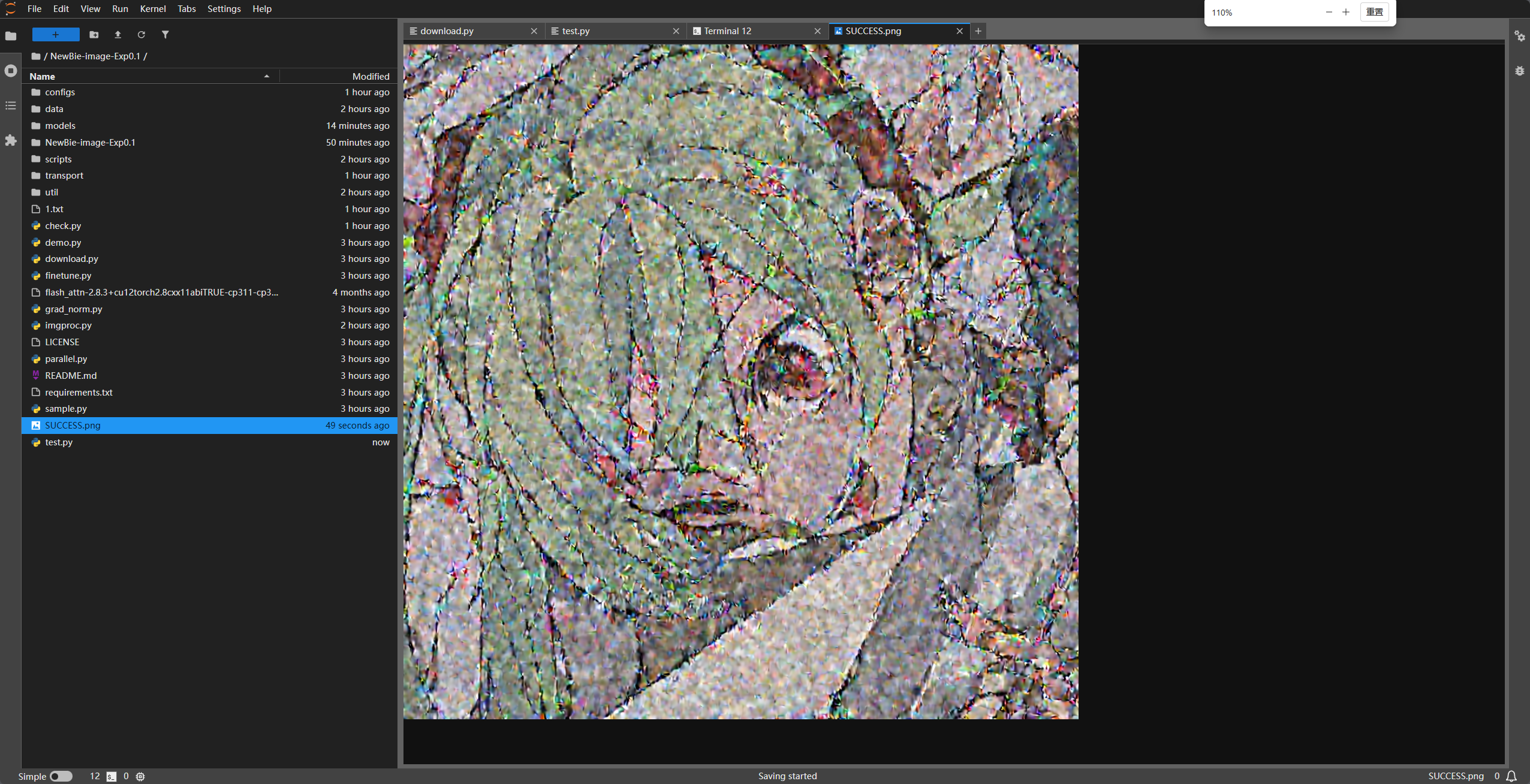
5. 进阶使用:对话图片生成 create.py
import torch
import os
import sys
import time
import builtins
from PIL import Image
from safetensors.torch import load_file
from torchvision.transforms.functional import to_pil_image

# 修复源码中的浮点数和维度 Bug 的 Monkey Patch (如果还没改源码,请保留这段)
_orig_zeros = torch.zeros
def _safe_zeros(*args, **kwargs):
    new_args = list(args)
    if len(args) > 0:
        if isinstance(args[0], (list, tuple)):
            new_args[0] = tuple(int(s) for s in args[0])
        else:
            for i in range(len(new_args)):
                if isinstance(new_args[i], (int, float)):
                    new_args[i] = int(new_args[i])
                elif isinstance(new_args[i], torch.Tensor) and new_args[i].ndim == 0:
                    new_args[i] = int(new_args[i].item())
                else: break
    return _orig_zeros(*new_args, **kwargs)
torch.zeros = _safe_zeros

sys.path.append(os.getcwd())

from models import NextDiT_3B_GQA_patch2_Adaln_Refiner_WHIT_CLIP
from transport import Sampler, create_transport
from diffusers.models import AutoencoderKL
from transformers import AutoModel, AutoTokenizer

model_root = "./NewBie-image-Exp0.1"
device = "cuda"
dtype = torch.bfloat16

def load_all_models():
    print("🚀 正在加载模型组件...")
    tokenizer = AutoTokenizer.from_pretrained(f"{model_root}/text_encoder")
    text_encoder = AutoModel.from_pretrained(f"{model_root}/text_encoder", torch_dtype=dtype).to(device).eval()
    clip_tokenizer = AutoTokenizer.from_pretrained(f"{model_root}/clip_model", trust_remote_code=True)
    clip_model = AutoModel.from_pretrained(f"{model_root}/clip_model", torch_dtype=dtype, trust_remote_code=True).to(device).eval()
    vae = AutoencoderKL.from_pretrained(f"{model_root}/vae").to(device, dtype)

    model = NextDiT_3B_GQA_patch2_Adaln_Refiner_WHIT_CLIP(
        in_channels=16, qk_norm=True,
        cap_feat_dim=text_encoder.config.text_config.hidden_size,
    )
    ckpt_path = f"{model_root}/transformer/diffusion_pytorch_model.safetensors"
    model.load_state_dict(load_file(ckpt_path), strict=True)
    model.to(device, dtype).eval()
    sampler = Sampler(create_transport("Linear", "velocity"))
    return tokenizer, text_encoder, clip_tokenizer, clip_model, vae, model, sampler

@torch.no_grad()
def encode_prompts(user_input, tokenizer, text_encoder, clip_tokenizer, clip_model):
    system_prompt = "You are an assistant designed to generate high-quality images based on user prompts."
    prompts = [system_prompt + user_input, " "]
    txt_in = tokenizer(prompts, return_tensors="pt", padding=True).to(device)
    outputs = text_encoder(**txt_in, output_hidden_states=True)
    prompt_embeds = outputs.hidden_states[-2].to(dtype)
    clip_in = clip_tokenizer(prompts, return_tensors="pt", padding=True, truncation=True).to(device)
    clip_res = clip_model.get_text_features(input_ids=clip_in.input_ids, attention_mask=clip_in.attention_mask)
    c_pooled = clip_res[0].to(dtype)
    if c_pooled.ndim == 1: c_pooled = c_pooled.unsqueeze(0)
    if c_pooled.shape[0] == 1: c_pooled = c_pooled.repeat(2, 1)
    return prompt_embeds, txt_in.attention_mask, clip_res[1].to(dtype), c_pooled

def main():
    tokenizer, text_encoder, clip_tokenizer, clip_model, vae, model, sampler = load_all_models()
    print("\n✅ 加载完成。输入 'quit' 退出。建议使用英文或 XML 标签。")
    image_count = 1

    while True:
        try:
            # 兼容编码的输入方式
            print(f"\n[{image_count}] 请输入提示词 >> ", end='', flush=True)
            line = sys.stdin.buffer.readline()
            if not line: break
            user_input = line.decode('utf-8', errors='ignore').strip()

            if user_input.lower() in ['quit', 'exit']: break
            if not user_input: continue

            print(f"⏳ 正在生成...")
            p_embeds, p_masks, c_seq, c_pooled = encode_prompts(user_input, tokenizer, text_encoder, clip_tokenizer, clip_model)
            model_kwargs = dict(cap_feats=p_embeds, cap_mask=p_masks, cfg_scale=4.5, clip_text_sequence=c_seq, clip_text_pooled=c_pooled)
            z = torch.randn([2, 16, 128, 128], device=device, dtype=dtype)

            def robust_forward(x, t, **kwargs):
                t_input = t.to(dtype)
                if t_input.ndim == 0: t_input = t_input.expand(x.shape[0])
                return model.forward_with_cfg(x.to(dtype), t_input, **kwargs)

            sample_fn = sampler.sample_ode(sampling_method="midpoint", num_steps=28, time_shifting_factor=6.0)
            samples = sample_fn(z, robust_forward, **model_kwargs)[-1]

            samples = vae.decode(samples[:1].to(dtype) / 0.3611 + 0.1159).sample
            img = to_pil_image(((samples[0] + 1.0) / 2.0).clamp(0.0, 1.0).float().cpu())

            save_name = f"output_{int(time.time())}.png"
            img.save(save_name)
            print(f"✨ 已保存为: {save_name}")
            image_count += 1
        except Exception as e:
            print(f"❌ 错误: {e}")

if __name__ == "__main__":
    main()
5. 关键避坑总结
- 参数对齐:对于 3.5B 版本,必须使用
NextDiT_3B_GQA_patch2_Adaln_Refiner_WHIT_CLIP类,它内部预设了 2304 维度,手动传hidden_size会报TypeError。 - 数据类型 (Dtype):
torchdiffeq采样器默认使用float32计算,必须在forward入口处强制强制.to(torch.bfloat16),否则会报矩阵乘法类型不匹配错误。 - XML 提示词:该模型对 XML 标签非常敏感,推荐遵循官方格式进行多角色和属性定义,以发挥最强性能。
- Batch 防空:推理时建议 Batch Size 设为 2(正向 + 负向),并给负向提示词一个空格
" ",防止 CLIP 编码返回空张量。
通过以上步骤,你就可以完美运行 NewBie-image-Exp0.1 了。祝你的动漫生成之旅愉快!
【零基礎教程】從零部署 NewBie-image-Exp0.1:避開所有原始碼坑點
本文指導在 16GB 級顯存環境下部署 3.5B 動漫生成模型 NewBie-image-Exp0.1:安裝依賴與受限網絡下的 wget/本地 pip、從 Hugging Face 拉取權重、用腳本修補 model.py 的索引與拼接維度問題,並給出獨立推理與交互式生成示例及 dtype/XML/batch 等坑點總結。
來源:https://blog.csdn.net/2403_87969572/article/details/156832416
抓取時間(ISO本地):2026-05-18 05:17:29
前言
NewBie-image-Exp0.1 是一款基於 Next-DiT 架構的 3.5B 引數動漫影象生成模型。它支援 XML 結構化提示詞,在多角色控制和屬性繫結上表現卓越。部署 NewBie-image-Exp0.1 具有一定的挑戰性,因為它不僅涉及多個頂尖模型(Gemma 3, Jina CLIP, Flux VAE)的組合,其原始碼在適配 Diffusers 格式推理時也存在一些維度和型別的硬傷。
以下是我整理的部署教學部落格,旨在幫助大家一鍵式避坑。
本教程將帶你解決原始碼中的“浮點數索引”、“維度不匹配”、“資料型別衝突”等所有核心 Bug,實現穩定生成。
1. 硬體要求與環境準備
- 視訊記憶體:建議 16GB 以上(模型+編碼器約佔用 14-15GB)。
- 系統:Linux (推薦) / Windows。
- 基礎環境:Python 3.10+, PyTorch 2.4+, CUDA 12.1+。
安裝核心依賴
pip install transformers accelerate safetensors diffusers timm torchdiffeq gradio
# 解除安裝可能導致版本衝突的 xformers
pip uninstall xformers -y
# 安裝專案提供的 Flash-Attention wheel (根據你的環境選擇)
pip install flash_attn-2.8.3+cu12torch2.8cxx11abiTRUE-cp311-cp311-linux_x86_64.whl
在部署教學部落格中,補充“如何透過 wget 下載並進行本地 pip 安裝”這一部分非常重要,特別是在處理 GitHub 連線不穩定或受限的伺服器環境時。
以下是為你整理的補充章節建議,你可以直接加入到部落格的“環境準備”部分:
補充技巧:受限環境下下載與本地安裝
在許多雲伺服器(如 AutoDL、各廠 AI 算力平臺)中,直接透過 pip install git+... 或從 GitHub 下載往往會遇到連線超時或 SSL 握手失敗。此時,建議採用“本地中轉安裝”法。
1. 使用 wget 下載特定元件
如果直接下載報錯,可以使用代理字首(如 gh-proxy.com)並加上 --no-check-certificate 引數來忽略 SSL 證書校驗。
下載 Flash-Attention 預編譯包(示例):
# 格式:wget [代理字首][原始GitHub連結]
wget --no-check-certificate https://mirror.ghproxy.com/https://github.com/Dao-AILab/flash-attention/releases/download/v2.8.3/flash_attn-2.8.3+cu12torch2.8cxx11abiTRUE-cp311-cp311-linux_x86_64.whl
下載模型原始碼壓縮包:
wget --no-check-certificate https://mirror.ghproxy.com/https://github.com/NewBieAI-Lab/diffusers/archive/refs/heads/add-newbie-pipeline.zip
2. 本地執行 pip 安裝
當 .whl 離線包或 .zip 原始碼包下載到本地目錄後,使用 pip 進行本地路徑安裝,這樣可以徹底避開安裝過程中的網路波動。
-
安裝
.whl離線包:# 直接指定檔名安裝 pip install flash_attn-2.8.3+cu12torch2.8cxx11abiTRUE-cp311-cp311-linux_x86_64.whl -
安裝下載好的原始碼包:
# 1. 解壓
unzip add-newbie-pipeline.zip
# 2. 進入解壓後的目錄
cd diffusers-add-newbie-pipeline
# 3. 以可編輯模式安裝當前目錄內容
pip install -e .
提示:在部落格中建議提醒讀者,安裝完本地包後,可以使用 pip cache purge 清理快取,以節省寶貴的系統盤空間。
2. 獲取原始碼與權重
- 克隆程式碼庫:
git clone https://github.com/NewBieAI-Lab/NewBie-image-Exp0.1.git cd NewBie-image-Exp0.1 - 下載權重:從 HuggingFace 下載 NewBie-image-Exp0.1,確保目錄結構包含
transformer,text_encoder,vae,clip_model。
3. 核心步驟:修復原始碼 Bug(自動補丁)
模型原始碼在處理 Diffusers 推理時有幾處邏輯漏洞(浮點數作索引、張量維度未對齊等)
直接執行以下 Python 指令碼自動修復 models/model.py:
import os

path = 'models/model.py'
with open(path, 'r', encoding='utf-8') as f:
    content = f.read()

# 修復 1:修正切片索引必須為整數的問題 (int conversion)
content = content.replace(':max_cap', ':int(max_cap)')
content = content.replace('torch.zeros(bsz, max_seq_len', 'torch.zeros(bsz, int(max_seq_len)')
content = content.replace('[:max_seq_len]', '[:int(max_seq_len)]')

# 修復 2:修復文字特徵與時間特徵拼接時的維度不匹配 (2D vs 1D)
old_cat = 'combined_features = torch.cat([t_emb, clip_emb], dim=-1)'
new_cat = """
            if clip_emb.ndim == 1:
                clip_emb = clip_emb.unsqueeze(0)
            if clip_emb.shape[0] != t_emb.shape[0]:
                clip_emb = clip_emb.expand(t_emb.shape[0], -1)
            combined_features = torch.cat([t_emb, clip_emb], dim=-1)
"""
content = content.replace(old_cat, new_cat)

with open(path, 'w', encoding='utf-8') as f:
    f.write(content)
print("✅ models/model.py 原始碼修復完成!")
4. 編寫推理指令碼 run_inference.py
這個指令碼透過手動組裝元件,繞過了對自定義 Diffusers 庫的依賴。
import torch
import os
import sys
from PIL import Image
from safetensors.torch import load_file
from torchvision.transforms.functional import to_pil_image

# 確保載入本地 models 和 transport
sys.path.append(os.getcwd())

from models import NextDiT_3B_GQA_patch2_Adaln_Refiner_WHIT_CLIP
from transport import Sampler, create_transport
from diffusers.models import AutoencoderKL
from transformers import AutoModel, AutoTokenizer

# --- 配置 ---
model_root = "./NewBie-image-Exp0.1" # 權重路徑
device = "cuda"
dtype = torch.bfloat16

print("1. 載入文字編碼器 (Gemma 3 & Jina CLIP)...")
tokenizer = AutoTokenizer.from_pretrained(f"{model_root}/text_encoder")
text_encoder = AutoModel.from_pretrained(f"{model_root}/text_encoder", torch_dtype=dtype).to(device).eval()

clip_tokenizer = AutoTokenizer.from_pretrained(f"{model_root}/clip_model", trust_remote_code=True)
clip_model = AutoModel.from_pretrained(f"{model_root}/clip_model", torch_dtype=dtype, trust_remote_code=True).to(device).eval()

print("2. 載入 VAE...")
vae = AutoencoderKL.from_pretrained(f"{model_root}/vae").to(device, dtype)

print("3. 初始化 Transformer...")
model = NextDiT_3B_GQA_patch2_Adaln_Refiner_WHIT_CLIP(
    in_channels=16, qk_norm=True,
    cap_feat_dim=text_encoder.config.text_config.hidden_size,
)
ckpt_path = f"{model_root}/transformer/diffusion_pytorch_model.safetensors"
model.load_state_dict(load_file(ckpt_path), strict=True)
model.to(device, dtype).eval()

# 準備取樣器
sampler = Sampler(create_transport("Linear", "velocity"))
sample_fn = sampler.sample_ode(sampling_method="midpoint", num_steps=28, time_shifting_factor=6.0)

@torch.no_grad()
def generate(user_prompt):
    system_prompt = "You are an assistant designed to generate high-quality images based on user prompts."
    prompts = [system_prompt + user_prompt, " "] # 正負向 Batch=2

    # 特徵編碼
    txt_in = tokenizer(prompts, return_tensors="pt", padding=True).to(device)
    p_embeds = text_encoder(**txt_in, output_hidden_states=True).hidden_states[-2]

    clip_in = clip_tokenizer(prompts, return_tensors="pt", padding=True, truncation=True).to(device)
    c_res = clip_model.get_text_features(input_ids=clip_in.input_ids, attention_mask=clip_in.attention_mask)
    c_pooled = c_res[0].to(dtype)
    if c_pooled.ndim == 1: c_pooled = c_pooled.unsqueeze(0)
    if c_pooled.shape[0] == 1: c_pooled = c_pooled.repeat(2, 1)

    model_kwargs = dict(cap_feats=p_embeds, cap_mask=txt_in.attention_mask, cfg_scale=4.5,
                        clip_text_sequence=c_res[1].to(dtype), clip_text_pooled=c_pooled)

    # 噪聲生成 (1024x1024)
    z = torch.randn([2, 16, 128, 128], device=device, dtype=dtype)

    # 核心:robust_forward 確保 float32 取樣器輸入轉回 bf16 相容模型權重
    def robust_forward(x, t, **kwargs):
        return model.forward_with_cfg(x.to(dtype), t.to(dtype), **kwargs)

    samples = sample_fn(z, robust_forward, **model_kwargs)[-1]

    # VAE 解碼
    samples = vae.decode(samples[:1].to(dtype) / 0.3611 + 0.1159).sample
    img = to_pil_image(((samples[0] + 1.0) / 2.0).clamp(0.0, 1.0).float().cpu())
    return img

if __name__ == "__main__":
    prompt = "<character_1><n>miku</n><gender>1girl</gender><appearance>blue_hair, long_twintails</appearance></character_1><general_tags><style>anime_style</style></general_tags>"
    result = generate(prompt)
    result.save("success_output.png")
    print("✨ 生成成功!儲存為 success_output.png")
執行程式碼
python run_inference.py
執行結果
5. 進階使用:對話圖片生成 create.py
import torch
import os
import sys
import time
import builtins
from PIL import Image
from safetensors.torch import load_file
from torchvision.transforms.functional import to_pil_image

# 修復原始碼中的浮點數和維度 Bug 的 Monkey Patch (如果還沒改原始碼,請保留這段)
_orig_zeros = torch.zeros
def _safe_zeros(*args, **kwargs):
    new_args = list(args)
    if len(args) > 0:
        if isinstance(args[0], (list, tuple)):
            new_args[0] = tuple(int(s) for s in args[0])
        else:
            for i in range(len(new_args)):
                if isinstance(new_args[i], (int, float)):
                    new_args[i] = int(new_args[i])
                elif isinstance(new_args[i], torch.Tensor) and new_args[i].ndim == 0:
                    new_args[i] = int(new_args[i].item())
                else: break
    return _orig_zeros(*new_args, **kwargs)
torch.zeros = _safe_zeros

sys.path.append(os.getcwd())

from models import NextDiT_3B_GQA_patch2_Adaln_Refiner_WHIT_CLIP
from transport import Sampler, create_transport
from diffusers.models import AutoencoderKL
from transformers import AutoModel, AutoTokenizer

model_root = "./NewBie-image-Exp0.1"
device = "cuda"
dtype = torch.bfloat16

def load_all_models():
    print("🚀 正在載入模型元件...")
    tokenizer = AutoTokenizer.from_pretrained(f"{model_root}/text_encoder")
    text_encoder = AutoModel.from_pretrained(f"{model_root}/text_encoder", torch_dtype=dtype).to(device).eval()
    clip_tokenizer = AutoTokenizer.from_pretrained(f"{model_root}/clip_model", trust_remote_code=True)
    clip_model = AutoModel.from_pretrained(f"{model_root}/clip_model", torch_dtype=dtype, trust_remote_code=True).to(device).eval()
    vae = AutoencoderKL.from_pretrained(f"{model_root}/vae").to(device, dtype)

    model = NextDiT_3B_GQA_patch2_Adaln_Refiner_WHIT_CLIP(
        in_channels=16, qk_norm=True,
        cap_feat_dim=text_encoder.config.text_config.hidden_size,
    )
    ckpt_path = f"{model_root}/transformer/diffusion_pytorch_model.safetensors"
    model.load_state_dict(load_file(ckpt_path), strict=True)
    model.to(device, dtype).eval()
    sampler = Sampler(create_transport("Linear", "velocity"))
    return tokenizer, text_encoder, clip_tokenizer, clip_model, vae, model, sampler

@torch.no_grad()
def encode_prompts(user_input, tokenizer, text_encoder, clip_tokenizer, clip_model):
    system_prompt = "You are an assistant designed to generate high-quality images based on user prompts."
    prompts = [system_prompt + user_input, " "]
    txt_in = tokenizer(prompts, return_tensors="pt", padding=True).to(device)
    outputs = text_encoder(**txt_in, output_hidden_states=True)
    prompt_embeds = outputs.hidden_states[-2].to(dtype)
    clip_in = clip_tokenizer(prompts, return_tensors="pt", padding=True, truncation=True).to(device)
    clip_res = clip_model.get_text_features(input_ids=clip_in.input_ids, attention_mask=clip_in.attention_mask)
    c_pooled = clip_res[0].to(dtype)
    if c_pooled.ndim == 1: c_pooled = c_pooled.unsqueeze(0)
    if c_pooled.shape[0] == 1: c_pooled = c_pooled.repeat(2, 1)
    return prompt_embeds, txt_in.attention_mask, clip_res[1].to(dtype), c_pooled

def main():
    tokenizer, text_encoder, clip_tokenizer, clip_model, vae, model, sampler = load_all_models()
    print("\n✅ 載入完成。輸入 'quit' 退出。建議使用英文或 XML 標籤。")
    image_count = 1

    while True:
        try:
            # 相容編碼的輸入方式
            print(f"\n[{image_count}] 請輸入提示詞 >> ", end='', flush=True)
            line = sys.stdin.buffer.readline()
            if not line: break
            user_input = line.decode('utf-8', errors='ignore').strip()

            if user_input.lower() in ['quit', 'exit']: break
            if not user_input: continue

            print(f"⏳ 正在生成...")
            p_embeds, p_masks, c_seq, c_pooled = encode_prompts(user_input, tokenizer, text_encoder, clip_tokenizer, clip_model)
            model_kwargs = dict(cap_feats=p_embeds, cap_mask=p_masks, cfg_scale=4.5, clip_text_sequence=c_seq, clip_text_pooled=c_pooled)
            z = torch.randn([2, 16, 128, 128], device=device, dtype=dtype)

            def robust_forward(x, t, **kwargs):
                t_input = t.to(dtype)
                if t_input.ndim == 0: t_input = t_input.expand(x.shape[0])
                return model.forward_with_cfg(x.to(dtype), t_input, **kwargs)

            sample_fn = sampler.sample_ode(sampling_method="midpoint", num_steps=28, time_shifting_factor=6.0)
            samples = sample_fn(z, robust_forward, **model_kwargs)[-1]

            samples = vae.decode(samples[:1].to(dtype) / 0.3611 + 0.1159).sample
            img = to_pil_image(((samples[0] + 1.0) / 2.0).clamp(0.0, 1.0).float().cpu())

            save_name = f"output_{int(time.time())}.png"
            img.save(save_name)
            print(f"✨ 已儲存為: {save_name}")
            image_count += 1
        except Exception as e:
            print(f"❌ 錯誤: {e}")

if __name__ == "__main__":
    main()
5. 關鍵避坑總結
- 引數對齊:對於 3.5B 版本,必須使用
NextDiT_3B_GQA_patch2_Adaln_Refiner_WHIT_CLIP類,它內部預設了 2304 維度,手動傳hidden_size會報TypeError。 - 資料型別 (Dtype):
torchdiffeq取樣器預設使用float32計算,必須在forward入口處強制強制.to(torch.bfloat16),否則會報矩陣乘法型別不匹配錯誤。 - XML 提示詞:該模型對 XML 標籤非常敏感,推薦遵循官方格式進行多角色和屬性定義,以發揮最強效能。
- Batch 防空:推理時建議 Batch Size 設為 2(正向 + 負向),並給負向提示詞一個空格
" ",防止 CLIP 編碼返回空張量。
透過以上步驟,你就可以完美執行 NewBie-image-Exp0.1 了。祝你的動漫生成之旅愉快!
Beginner Tutorial: Deploy NewBie-image-Exp0.1 from Scratch—Avoid Every Source Pitfall
NewBie-image-Exp0.1 is a 3.5B anime image generation model built on the Next‑DiT architecture. It supports XML‑structured prompts and excels at multi‑character control and attribute binding. Deploying NewBie-image-Exp0.1 is challenging because it combines several top-tier components (Gemma 3, Jina CLIP, Flux VAE), and the reference code has hard bugs
Captured at (local ISO): 2026-05-18 05:17:29
Foreword
NewBie-image-Exp0.1 is a 3.5B anime image generation model built on the Next‑DiT architecture. It supports XML‑structured prompts and excels at multi‑character control and attribute binding. Deploying NewBie-image-Exp0.1 is challenging because it combines several top-tier components (Gemma 3, Jina CLIP, Flux VAE), and the reference code has hard bugs in dimension and dtype when adapting to Diffusers-style inference.
Below is a deployment guide meant to help you dodge the pitfalls in one pass.
This tutorial fixes core bugs in the reference code—floating-point indices, shape mismatches, dtype conflicts—and gets you to stable generation.
1. Hardware requirements and environment
- GPU VRAM: 16GB+ recommended (model + encoders use ~14–15GB).
- OS: Linux (recommended) / Windows.
- Basics: Python 3.10+, PyTorch 2.4+, CUDA 12.1+.
Core dependencies
pip install transformers accelerate safetensors diffusers timm torchdiffeq gradio
# Uninstall xformers if it causes version conflicts
pip uninstall xformers -y
# Install project-provided Flash-Attention wheel (pick one matching your env)
pip install flash_attn-2.8.3+cu12torch2.8cxx11abiTRUE-cp311-cp311-linux_x86_64.whl
In any deployment write-up, a section on how to wget payloads and pip install locally matters a lot—especially on servers where GitHub is flaky or blocked.
Here is a section you can drop straight into “environment prep”:
Extra: downloads and offline install in restricted networks
On many cloud GPUs (AutoDL, vendor AI clouds, etc.), pip install git+... or direct GitHub downloads often time out or fail TLS. Prefer a “local hop” workflow.
1. wget specific artifacts
If a direct fetch fails, use a mirror prefix (e.g. gh-proxy.com) and --no-check-certificate to skip cert checks (when you accept the risk).
Flash-Attention wheel (example):
# Pattern: wget [mirror][original GitHub URL]
wget --no-check-certificate https://mirror.ghproxy.com/https://github.com/Dao-AILab/flash-attention/releases/download/v2.8.3/flash_attn-2.8.3+cu12torch2.8cxx11abiTRUE-cp311-cp311-linux_x86_64.whl
Model source zip:
wget --no-check-certificate https://mirror.ghproxy.com/https://github.com/NewBieAI-Lab/diffusers/archive/refs/heads/add-newbie-pipeline.zip
2. Local pip install
After .whl or .zip lands on disk, install by path to avoid mid-install network jitter.
-
Install the
.whl:pip install flash_attn-2.8.3+cu12torch2.8cxx11abiTRUE-cp311-cp311-linux_x86_64.whl -
Install from the downloaded source zip:
# 1. Unzip
unzip add-newbie-pipeline.zip
# 2. Enter extracted folder
cd diffusers-add-newbie-pipeline
# 3. Editable install
pip install -e .
Tip: After local installs, pip cache purge can reclaim disk space—worth mentioning to readers.
2. Fetching code and weights
- Clone the repo:
git clone https://github.com/NewBieAI-Lab/NewBie-image-Exp0.1.git cd NewBie-image-Exp0.1 - Download weights from Hugging Face NewBie-image-Exp0.1; ensure the tree includes
transformer,text_encoder,vae,clip_model.
3. Core step: patch reference bugs (auto script)
The reference models/model.py has logic holes for Diffusers-style inference (floats as indices, tensor ranks not aligned, etc.).
Run this Python patcher:
import os

path = 'models/model.py'
with open(path, 'r', encoding='utf-8') as f:
    content = f.read()

# Fix 1: slices must use integers
content = content.replace(':max_cap', ':int(max_cap)')
content = content.replace('torch.zeros(bsz, max_seq_len', 'torch.zeros(bsz, int(max_seq_len)')
content = content.replace('[:max_seq_len]', '[:int(max_seq_len)]')

# Fix 2: align text vs time features before concat (2D vs 1D)
old_cat = 'combined_features = torch.cat([t_emb, clip_emb], dim=-1)'
new_cat = """
            if clip_emb.ndim == 1:
                clip_emb = clip_emb.unsqueeze(0)
            if clip_emb.shape[0] != t_emb.shape[0]:
                clip_emb = clip_emb.expand(t_emb.shape[0], -1)
            combined_features = torch.cat([t_emb, clip_emb], dim=-1)
"""
content = content.replace(old_cat, new_cat)

with open(path, 'w', encoding='utf-8') as f:
    f.write(content)
print("✅ Patched models/model.py")
4. Inference script run_inference.py
This script wires components manually and avoids a custom Diffusers fork.
import torch
import os
import sys
from PIL import Image
from safetensors.torch import load_file
from torchvision.transforms.functional import to_pil_image

# Local models + transport
sys.path.append(os.getcwd())

from models import NextDiT_3B_GQA_patch2_Adaln_Refiner_WHIT_CLIP
from transport import Sampler, create_transport
from diffusers.models import AutoencoderKL
from transformers import AutoModel, AutoTokenizer

# --- Config ---
model_root = "./NewBie-image-Exp0.1"  # weights root
device = "cuda"
dtype = torch.bfloat16

print("1. Loading text encoders (Gemma 3 & Jina CLIP)...")
tokenizer = AutoTokenizer.from_pretrained(f"{model_root}/text_encoder")
text_encoder = AutoModel.from_pretrained(f"{model_root}/text_encoder", torch_dtype=dtype).to(device).eval()

clip_tokenizer = AutoTokenizer.from_pretrained(f"{model_root}/clip_model", trust_remote_code=True)
clip_model = AutoModel.from_pretrained(f"{model_root}/clip_model", torch_dtype=dtype, trust_remote_code=True).to(device).eval()

print("2. Loading VAE...")
vae = AutoencoderKL.from_pretrained(f"{model_root}/vae").to(device, dtype)

print("3. Initializing Transformer...")
model = NextDiT_3B_GQA_patch2_Adaln_Refiner_WHIT_CLIP(
    in_channels=16, qk_norm=True,
    cap_feat_dim=text_encoder.config.text_config.hidden_size,
)
ckpt_path = f"{model_root}/transformer/diffusion_pytorch_model.safetensors"
model.load_state_dict(load_file(ckpt_path), strict=True)
model.to(device, dtype).eval()

sampler = Sampler(create_transport("Linear", "velocity"))
sample_fn = sampler.sample_ode(sampling_method="midpoint", num_steps=28, time_shifting_factor=6.0)

@torch.no_grad()
def generate(user_prompt):
    system_prompt = "You are an assistant designed to generate high-quality images based on user prompts."
    prompts = [system_prompt + user_prompt, " "]  # CFG batch = 2

    txt_in = tokenizer(prompts, return_tensors="pt", padding=True).to(device)
    p_embeds = text_encoder(**txt_in, output_hidden_states=True).hidden_states[-2]

    clip_in = clip_tokenizer(prompts, return_tensors="pt", padding=True, truncation=True).to(device)
    c_res = clip_model.get_text_features(input_ids=clip_in.input_ids, attention_mask=clip_in.attention_mask)
    c_pooled = c_res[0].to(dtype)
    if c_pooled.ndim == 1: c_pooled = c_pooled.unsqueeze(0)
    if c_pooled.shape[0] == 1: c_pooled = c_pooled.repeat(2, 1)

    model_kwargs = dict(cap_feats=p_embeds, cap_mask=txt_in.attention_mask, cfg_scale=4.5,
                        clip_text_sequence=c_res[1].to(dtype), clip_text_pooled=c_pooled)

    z = torch.randn([2, 16, 128, 128], device=device, dtype=dtype)

    # ODE may run in float32; cast back for module weights
    def robust_forward(x, t, **kwargs):
        return model.forward_with_cfg(x.to(dtype), t.to(dtype), **kwargs)

    samples = sample_fn(z, robust_forward, **model_kwargs)[-1]

    samples = vae.decode(samples[:1].to(dtype) / 0.3611 + 0.1159).sample
    img = to_pil_image(((samples[0] + 1.0) / 2.0).clamp(0.0, 1.0).float().cpu())
    return img

if __name__ == "__main__":
    prompt = "<character_1><n>miku</n><gender>1girl</gender><appearance>blue_hair, long_twintails</appearance></character_1><general_tags><style>anime_style</style></general_tags>"
    result = generate(prompt)
    result.save("success_output.png")
    print("✨ Done. Saved success_output.png")
Run
python run_inference.py
Sample output
5. Advanced: interactive create.py
import torch
import os
import sys
import time
import builtins
from PIL import Image
from safetensors.torch import load_file
from torchvision.transforms.functional import to_pil_image

# Monkey-patch float index bugs if you didn't patch model.py yet
_orig_zeros = torch.zeros
def _safe_zeros(*args, **kwargs):
    new_args = list(args)
    if len(args) > 0:
        if isinstance(args[0], (list, tuple)):
            new_args[0] = tuple(int(s) for s in args[0])
        else:
            for i in range(len(new_args)):
                if isinstance(new_args[i], (int, float)):
                    new_args[i] = int(new_args[i])
                elif isinstance(new_args[i], torch.Tensor) and new_args[i].ndim == 0:
                    new_args[i] = int(new_args[i].item())
                else: break
    return _orig_zeros(*args, **kwargs)
torch.zeros = _safe_zeros

sys.path.append(os.getcwd())

from models import NextDiT_3B_GQA_patch2_Adaln_Refiner_WHIT_CLIP
from transport import Sampler, create_transport
from diffusers.models import AutoencoderKL
from transformers import AutoModel, AutoTokenizer

model_root = "./NewBie-image-Exp0.1"
device = "cuda"
dtype = torch.bfloat16

def load_all_models():
    print("🚀 Loading model stack...")
    tokenizer = AutoTokenizer.from_pretrained(f"{model_root}/text_encoder")
    text_encoder = AutoModel.from_pretrained(f"{model_root}/text_encoder", torch_dtype=dtype).to(device).eval()
    clip_tokenizer = AutoTokenizer.from_pretrained(f"{model_root}/clip_model", trust_remote_code=True)
    clip_model = AutoModel.from_pretrained(f"{model_root}/clip_model", torch_dtype=dtype, trust_remote_code=True).to(device).eval()
    vae = AutoencoderKL.from_pretrained(f"{model_root}/vae").to(device, dtype)

    model = NextDiT_3B_GQA_patch2_Adaln_Refiner_WHIT_CLIP(
        in_channels=16, qk_norm=True,
        cap_feat_dim=text_encoder.config.text_config.hidden_size,
    )
    ckpt_path = f"{model_root}/transformer/diffusion_pytorch_model.safetensors"
    model.load_state_dict(load_file(ckpt_path), strict=True)
    model.to(device, dtype).eval()
    sampler = Sampler(create_transport("Linear", "velocity"))
    return tokenizer, text_encoder, clip_tokenizer, clip_model, vae, model, sampler

@torch.no_grad()
def encode_prompts(user_input, tokenizer, text_encoder, clip_tokenizer, clip_model):
    system_prompt = "You are an assistant designed to generate high-quality images based on user prompts."
    prompts = [system_prompt + user_input, " "]
    txt_in = tokenizer(prompts, return_tensors="pt", padding=True).to(device)
    outputs = text_encoder(**txt_in, output_hidden_states=True)
    prompt_embeds = outputs.hidden_states[-2].to(dtype)
    clip_in = clip_tokenizer(prompts, return_tensors="pt", padding=True, truncation=True).to(device)
    clip_res = clip_model.get_text_features(input_ids=clip_in.input_ids, attention_mask=clip_in.attention_mask)
    c_pooled = clip_res[0].to(dtype)
    if c_pooled.ndim == 1: c_pooled = c_pooled.unsqueeze(0)
    if c_pooled.shape[0] == 1: c_pooled = c_pooled.repeat(2, 1)
    return prompt_embeds, txt_in.attention_mask, clip_res[1].to(dtype), c_pooled

def main():
    tokenizer, text_encoder, clip_tokenizer, clip_model, vae, model, sampler = load_all_models()
    print("\n✅ Ready. Type 'quit' to exit. English or XML tags recommended.")
    image_count = 1

    while True:
        try:
            print(f"\n[{image_count}] Prompt >> ", end='', flush=True)
            line = sys.stdin.buffer.readline()
            if not line: break
            user_input = line.decode('utf-8', errors='ignore').strip()

            if user_input.lower() in ['quit', 'exit']: break
            if not user_input: continue

            print(f"⏳ Generating...")
            p_embeds, p_masks, c_seq, c_pooled = encode_prompts(user_input, tokenizer, text_encoder, clip_tokenizer, clip_model)
            model_kwargs = dict(cap_feats=p_embeds, cap_mask=p_masks, cfg_scale=4.5, clip_text_sequence=c_seq, clip_text_pooled=c_pooled)
            z = torch.randn([2, 16, 128, 128], device=device, dtype=dtype)

            def robust_forward(x, t, **kwargs):
                t_input = t.to(dtype)
                if t_input.ndim == 0: t_input = t_input.expand(x.shape[0])
                return model.forward_with_cfg(x.to(dtype), t_input, **kwargs)

            sample_fn = sampler.sample_ode(sampling_method="midpoint", num_steps=28, time_shifting_factor=6.0)
            samples = sample_fn(z, robust_forward, **model_kwargs)[-1]

            samples = vae.decode(samples[:1].to(dtype) / 0.3611 + 0.1159).sample
            img = to_pil_image(((samples[0] + 1.0) / 2.0).clamp(0.0, 1.0).float().cpu())

            save_name = f"output_{int(time.time())}.png"
            img.save(save_name)
            print(f"✨ Saved: {save_name}")
            image_count += 1
        except Exception as e:
            print(f"❌ Error: {e}")

if __name__ == "__main__":
    main()
6. Pitfalls recap
- Class choice: for the 3.5B build use
NextDiT_3B_GQA_patch2_Adaln_Refiner_WHIT_CLIP; it bakes in width 2304—don’t passhidden_sizemanually or you hitTypeError. - Dtype:
torchdiffeqoften runs the ODE in float32—cast back tobfloat16at the module boundary or matmul dtypes disagree. - XML prompts: the model is sensitive to tags; follow the official XML pattern for multi-character and attributes.
- Batch=2: keep CFG with batch 2 (pos + neg); use a single space
" "for the negative text so CLIP never returns empty tensors.
After these steps, NewBie-image-Exp0.1 should run cleanly. Enjoy your anime generations!